






 Toll Free 18001024141





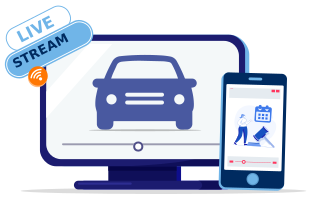



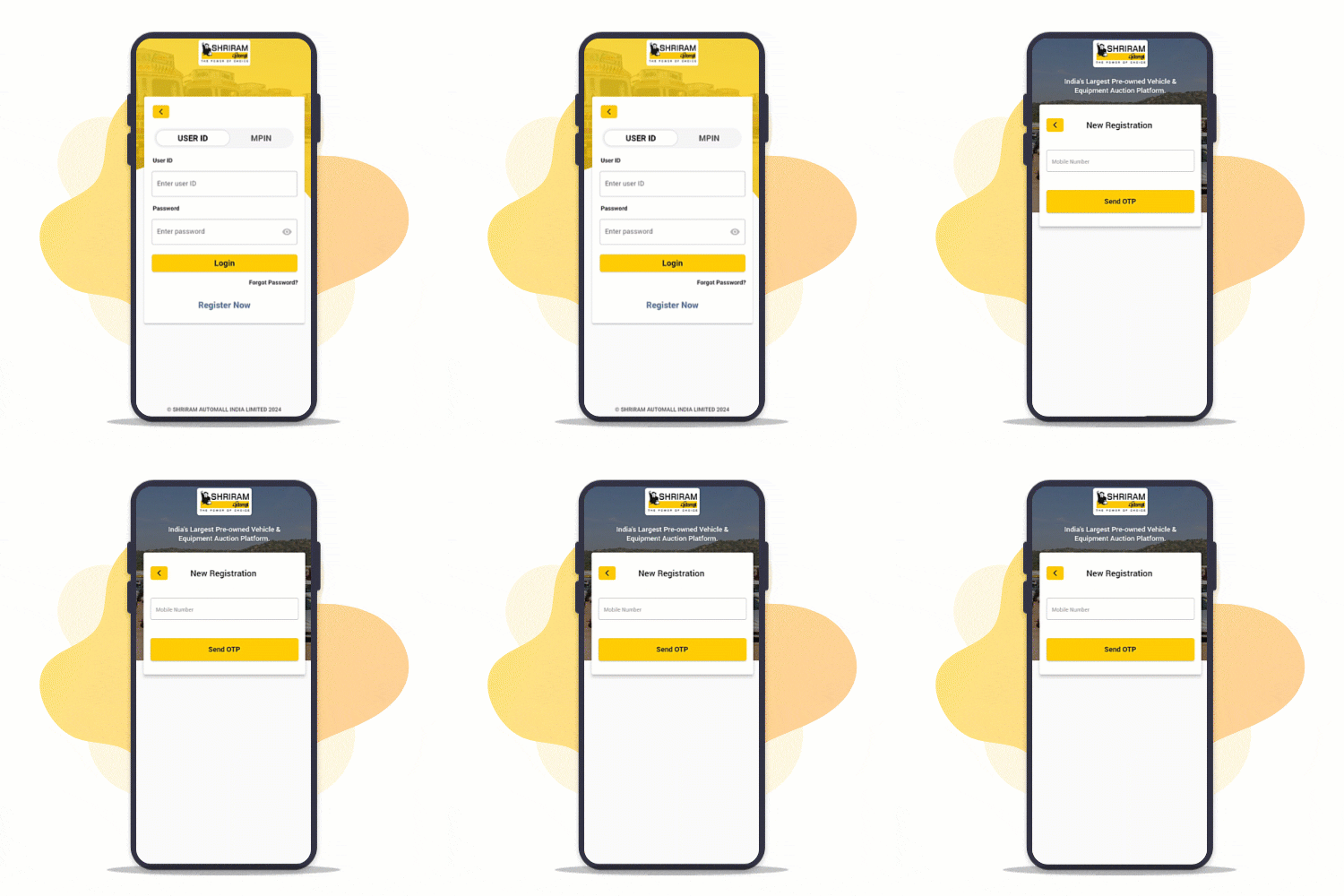
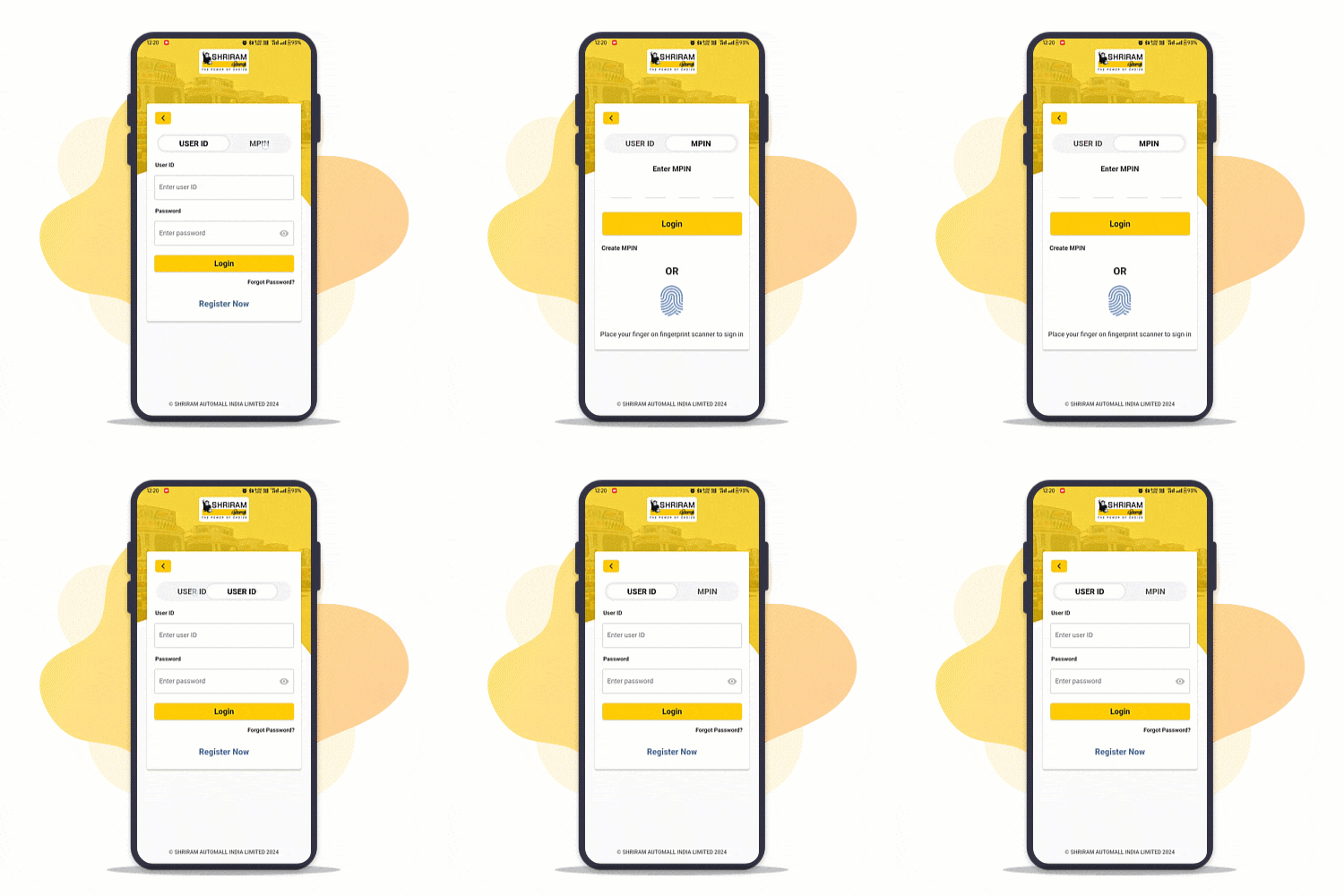
Login to My Samil App
Participate in Live auctions Pan India
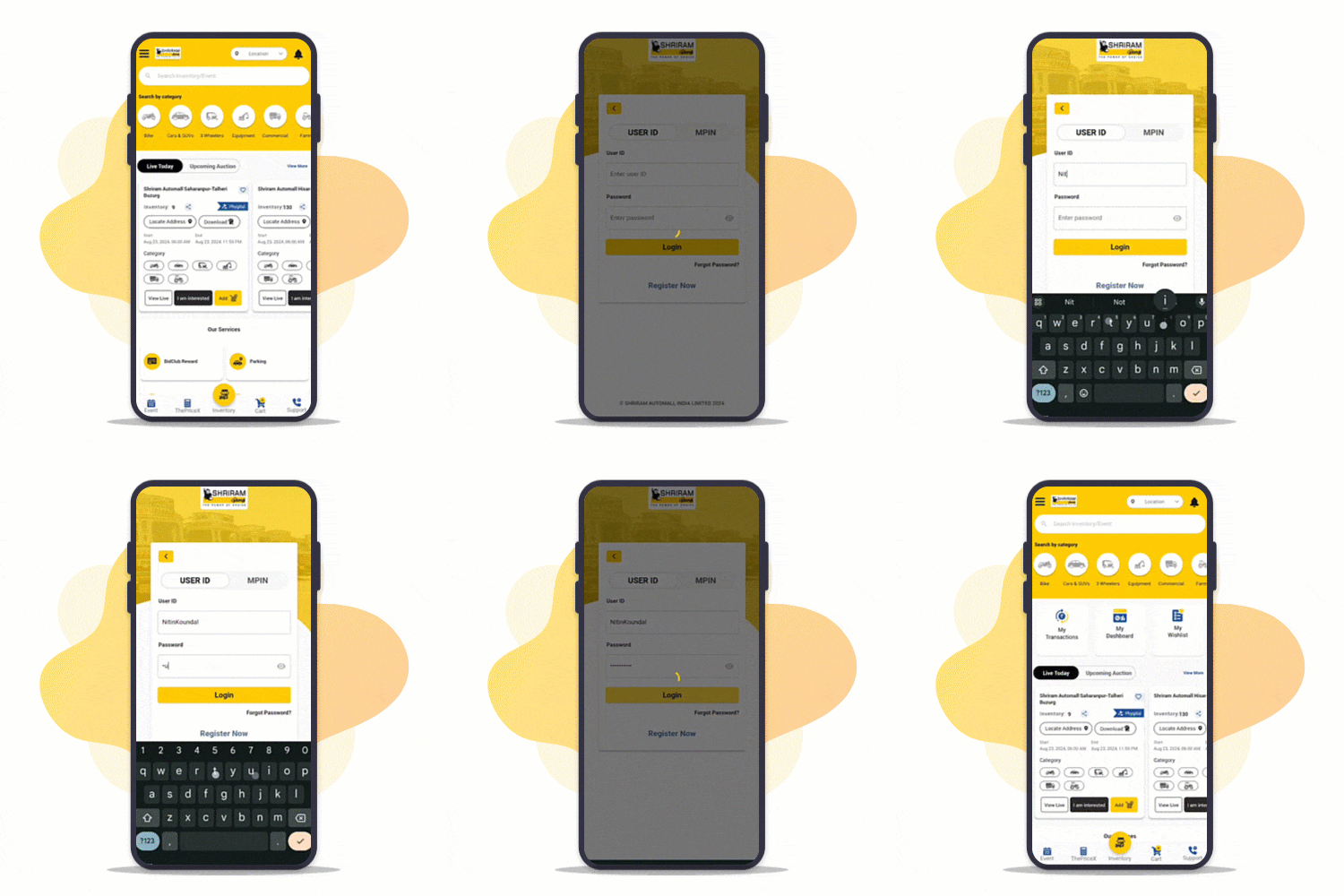
Step : 1
Go to Login Screen
- Open MySAMIL App
- Tap on Menu
- Tap on Logins
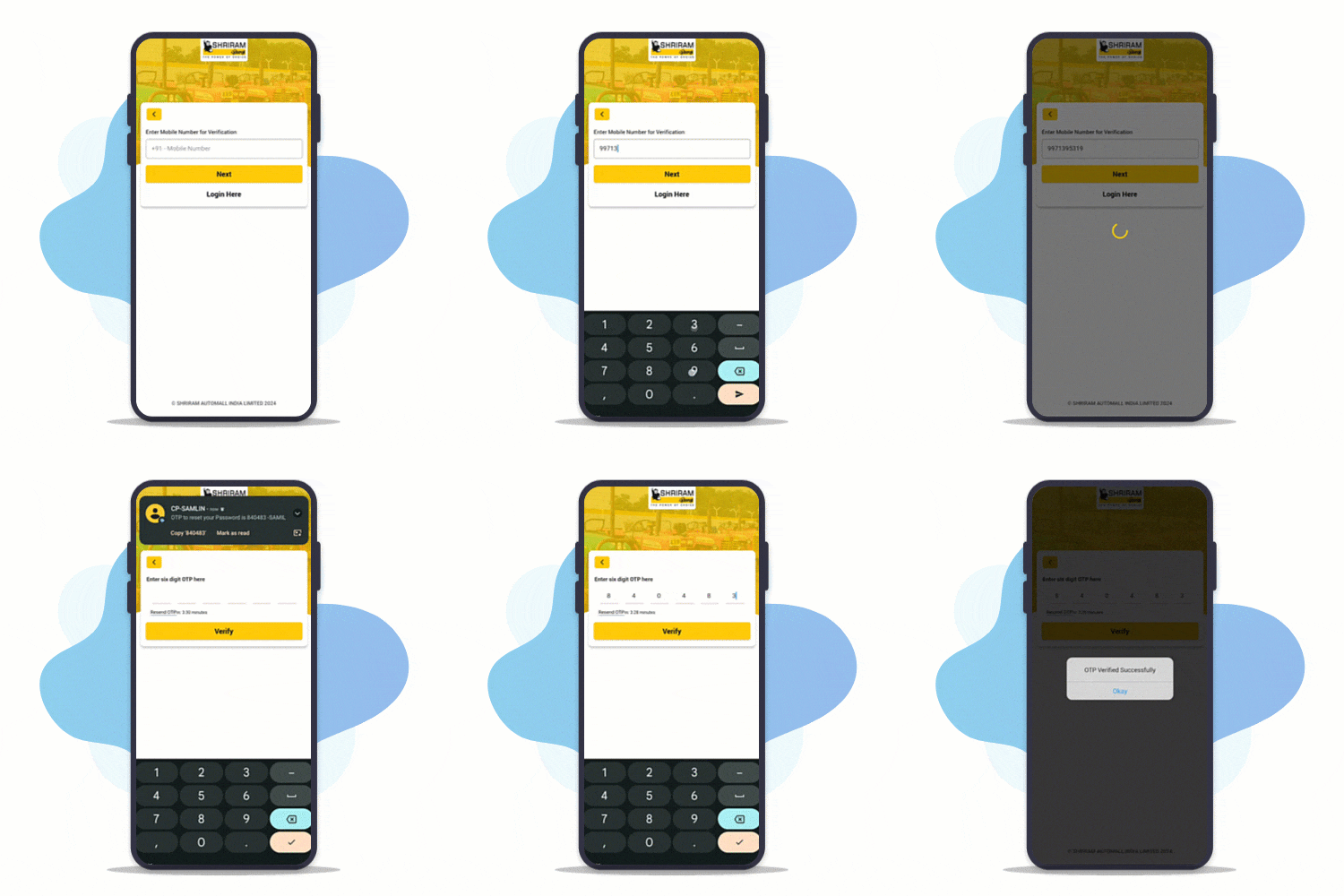
Step : 2
Login with your Username or Registered Mobile Number
- Enter your Username/Registered Mobile Number
- Enter Password
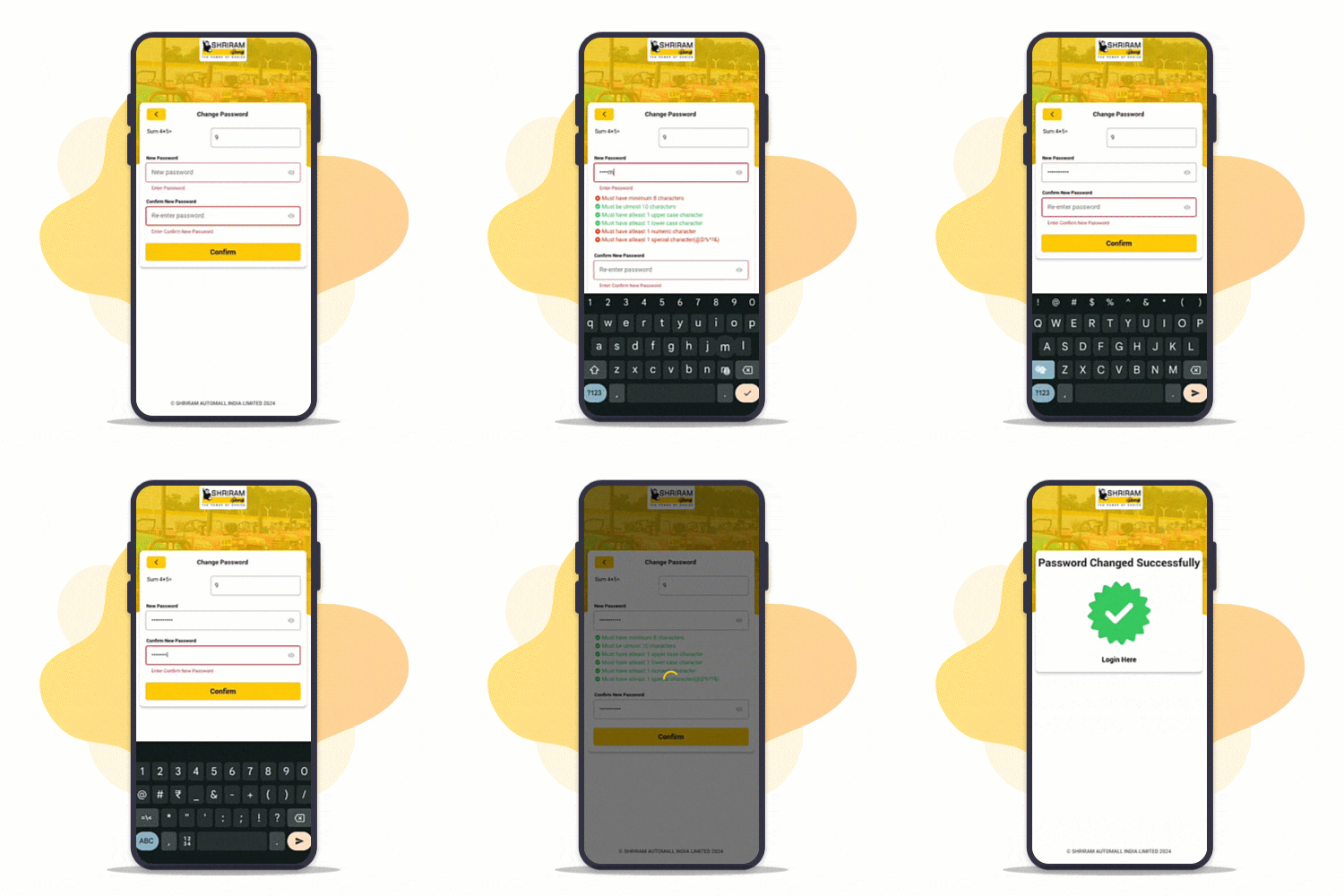
Step : 3
Reset Your Password
- Tap on Forgot Password
- Enter your Registered Mobile Number
- Enter OTP sent to your Registered Mobile Number
- Answer security question & Set new password
Phygital Auctions on MySAMIL App
Enjoy Live Bidding at Your Comfort!
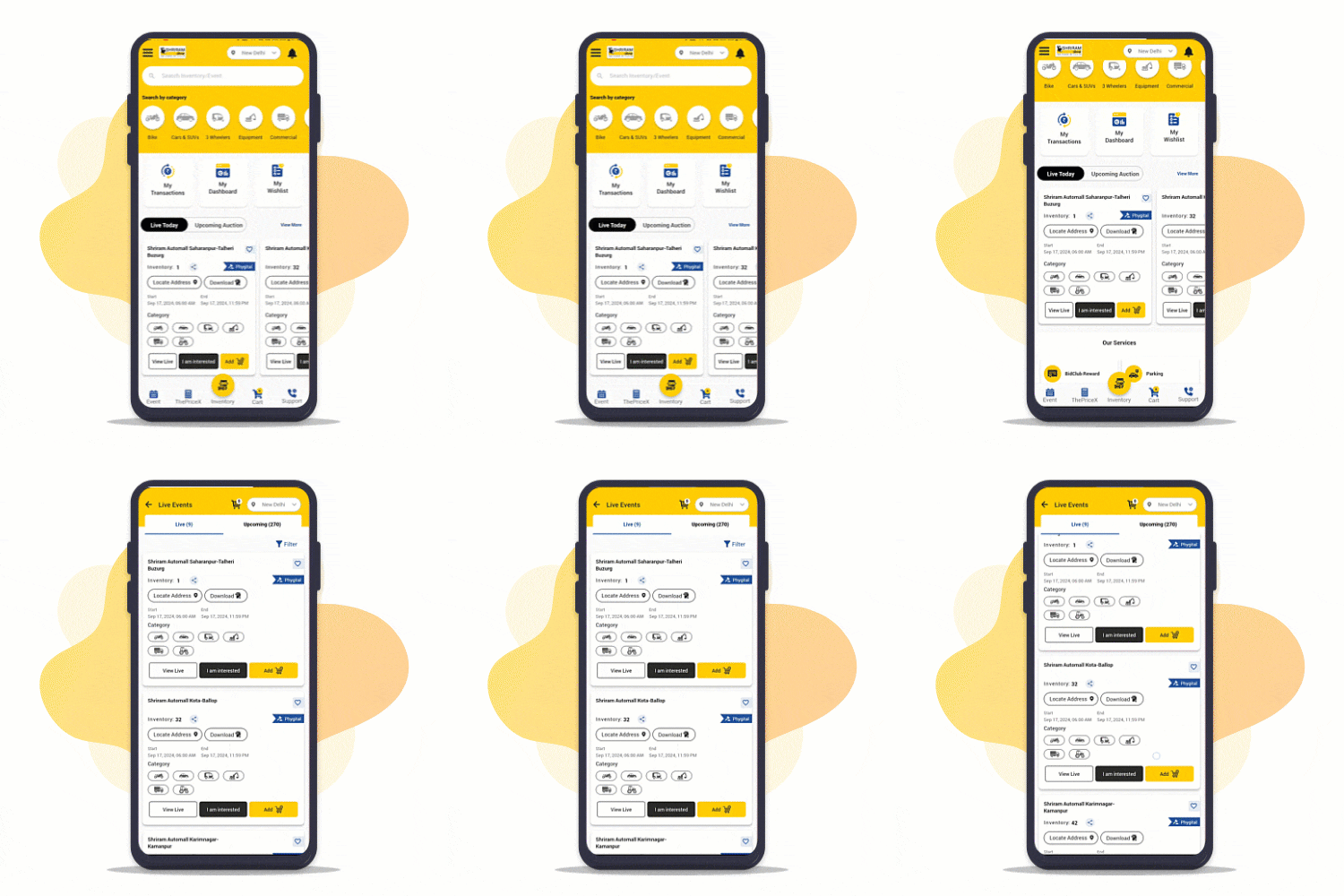
Step : 1
Explore list of Events!
Browse and select from Live events at your location
Step : 2
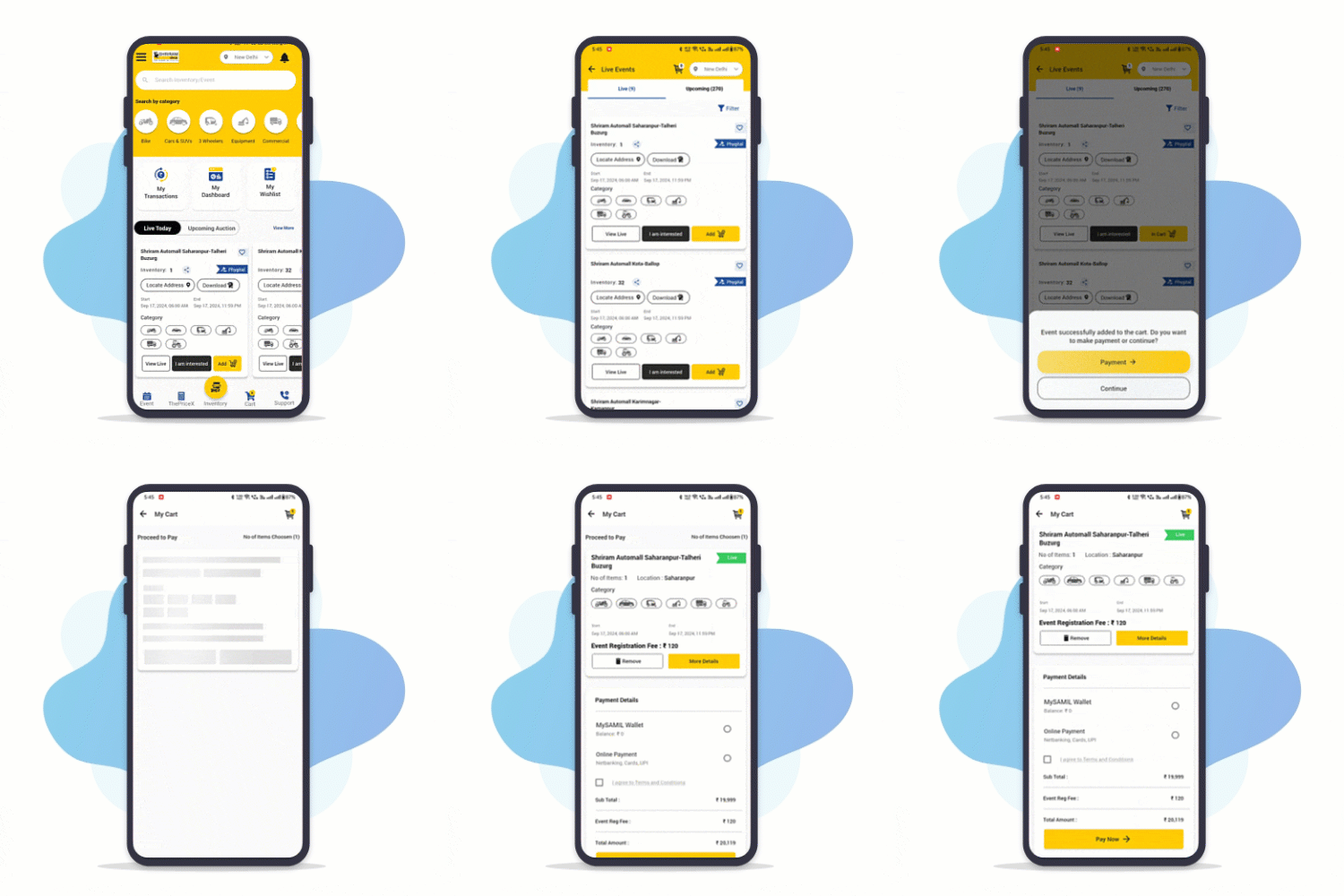
Join an event!
Add selected events to cart and Pay RSD with MySAMIL App to participate
Step : 3
Bid Live!
Watch and listen to physical auction as your favorite vehicle goes live on MySAMIL App
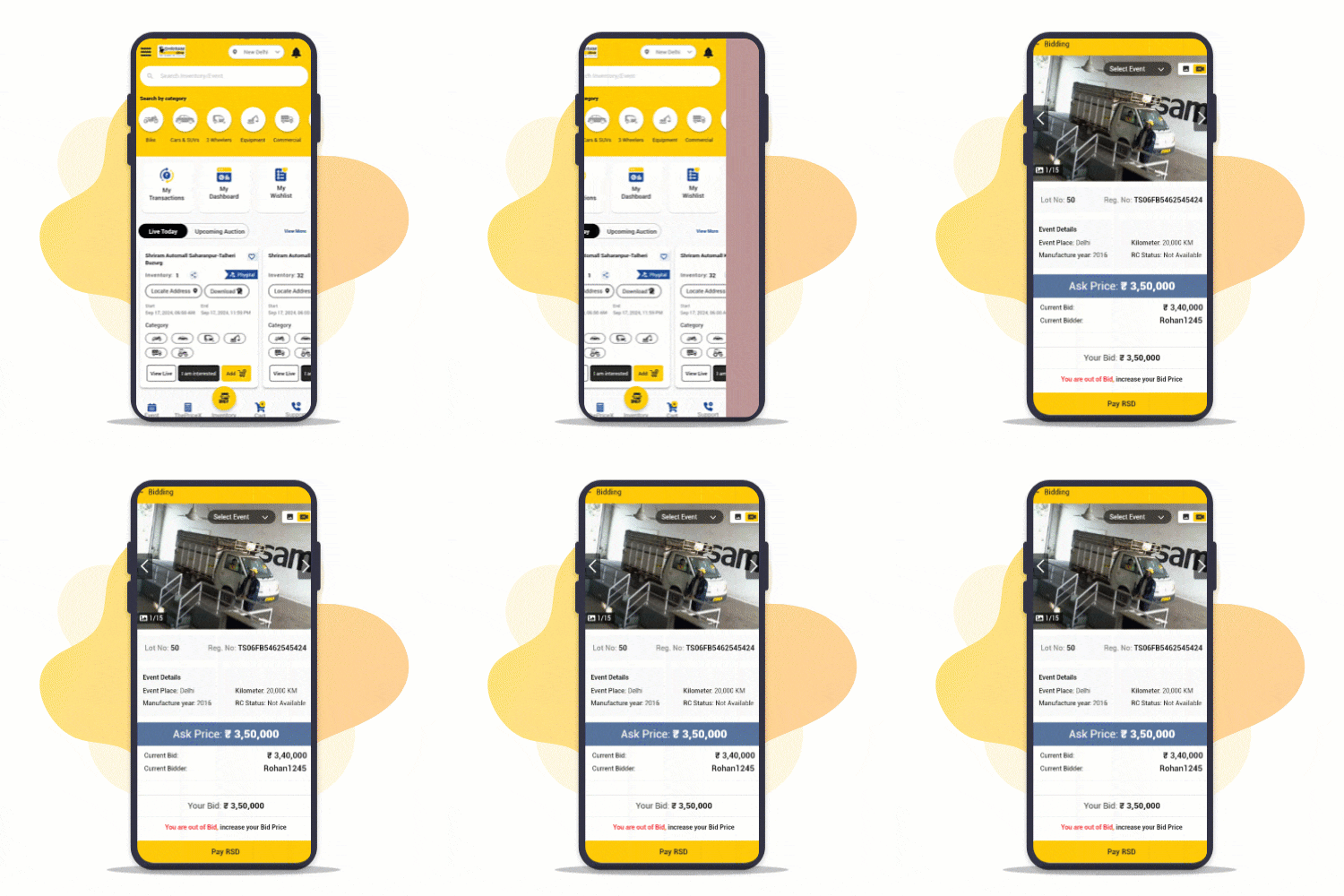
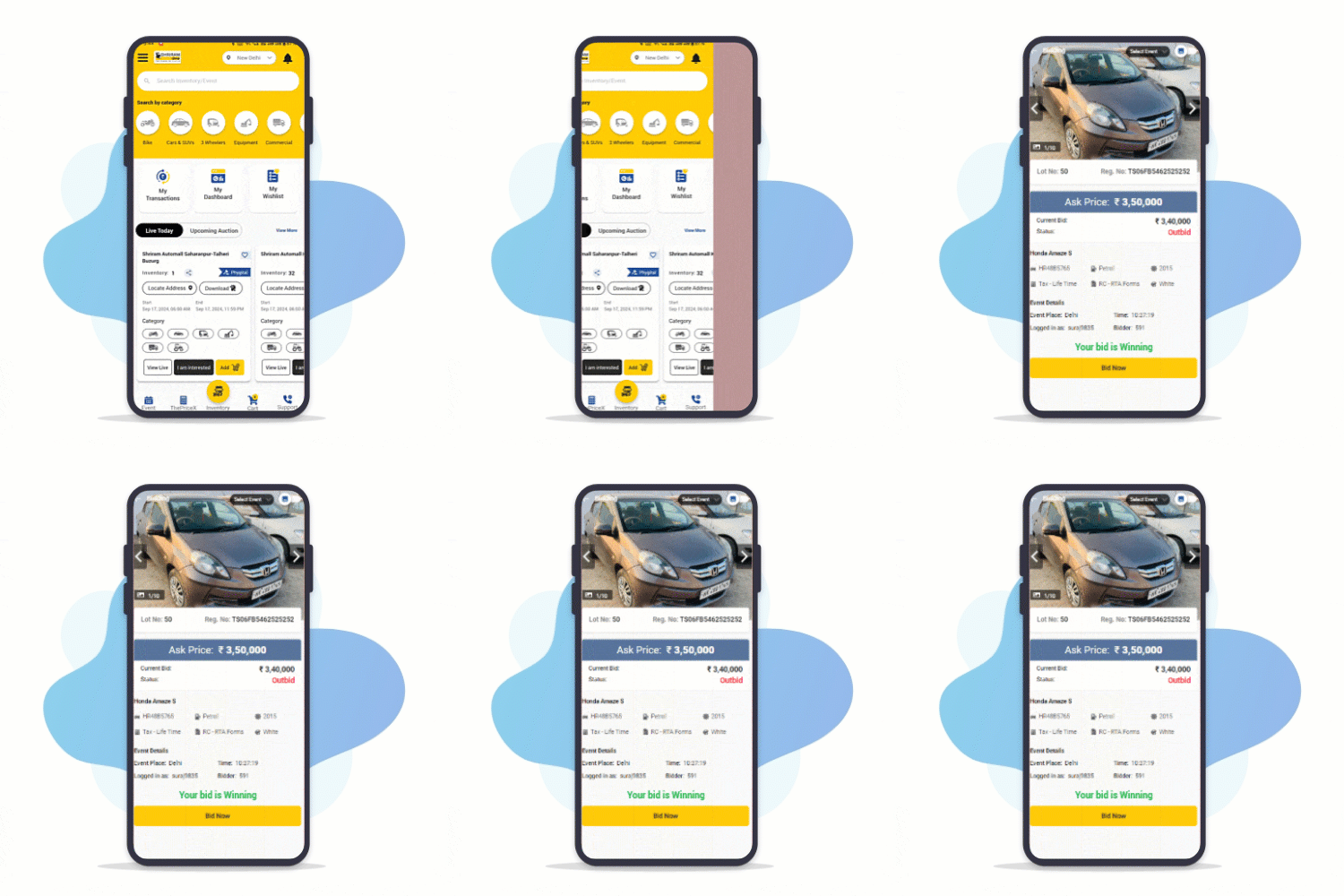
Step : 4
Participate in Auction!
Place bids on your favourite vehicle and become a winner
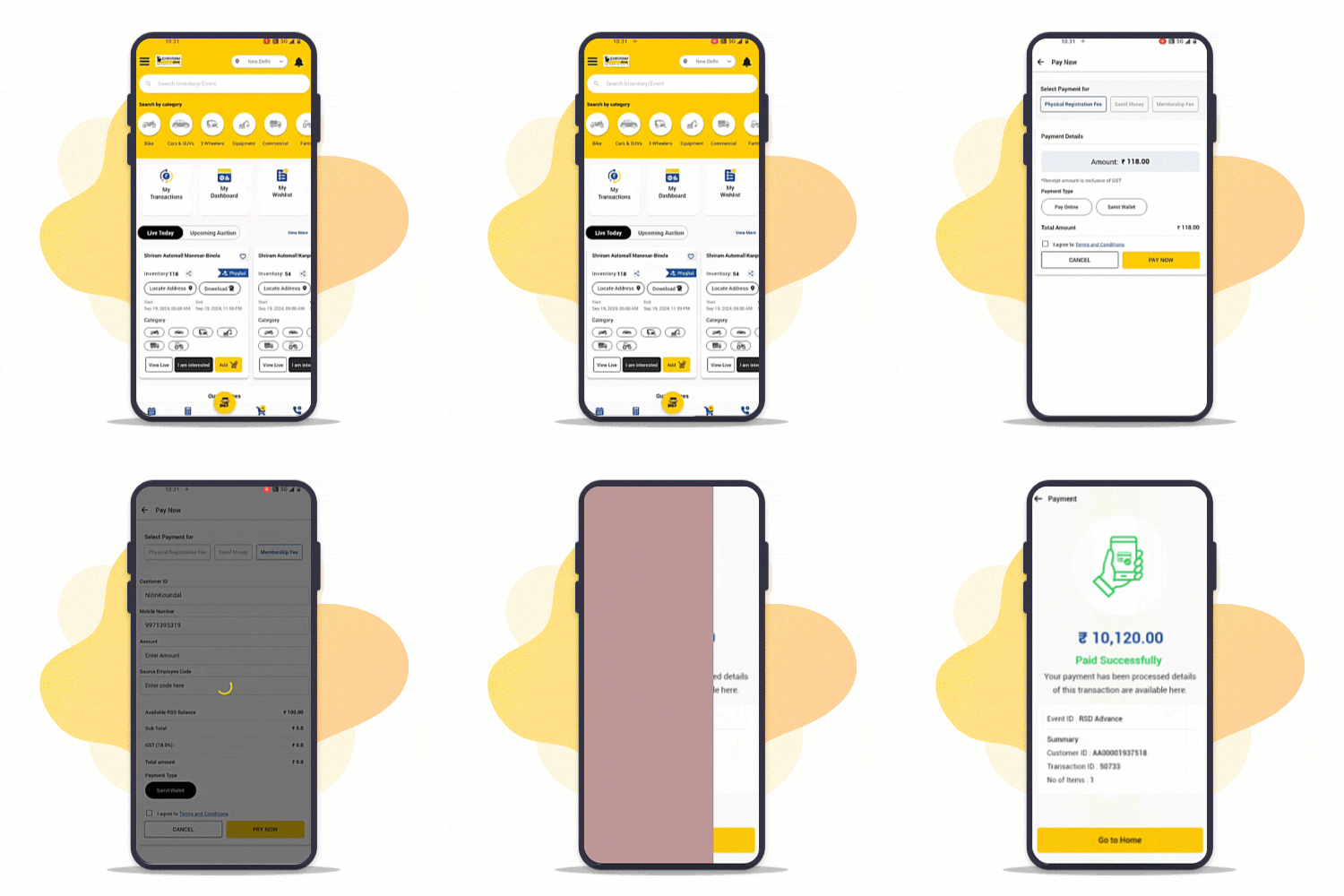
Digital Payments made easy from MySAMIL App!
Make fast, secure and reliable payments via UPI, Cards, Netbanking etc.
Step : 1
Go to PAY
Go to "My Dashboard" or Open "Pay" from menu after login
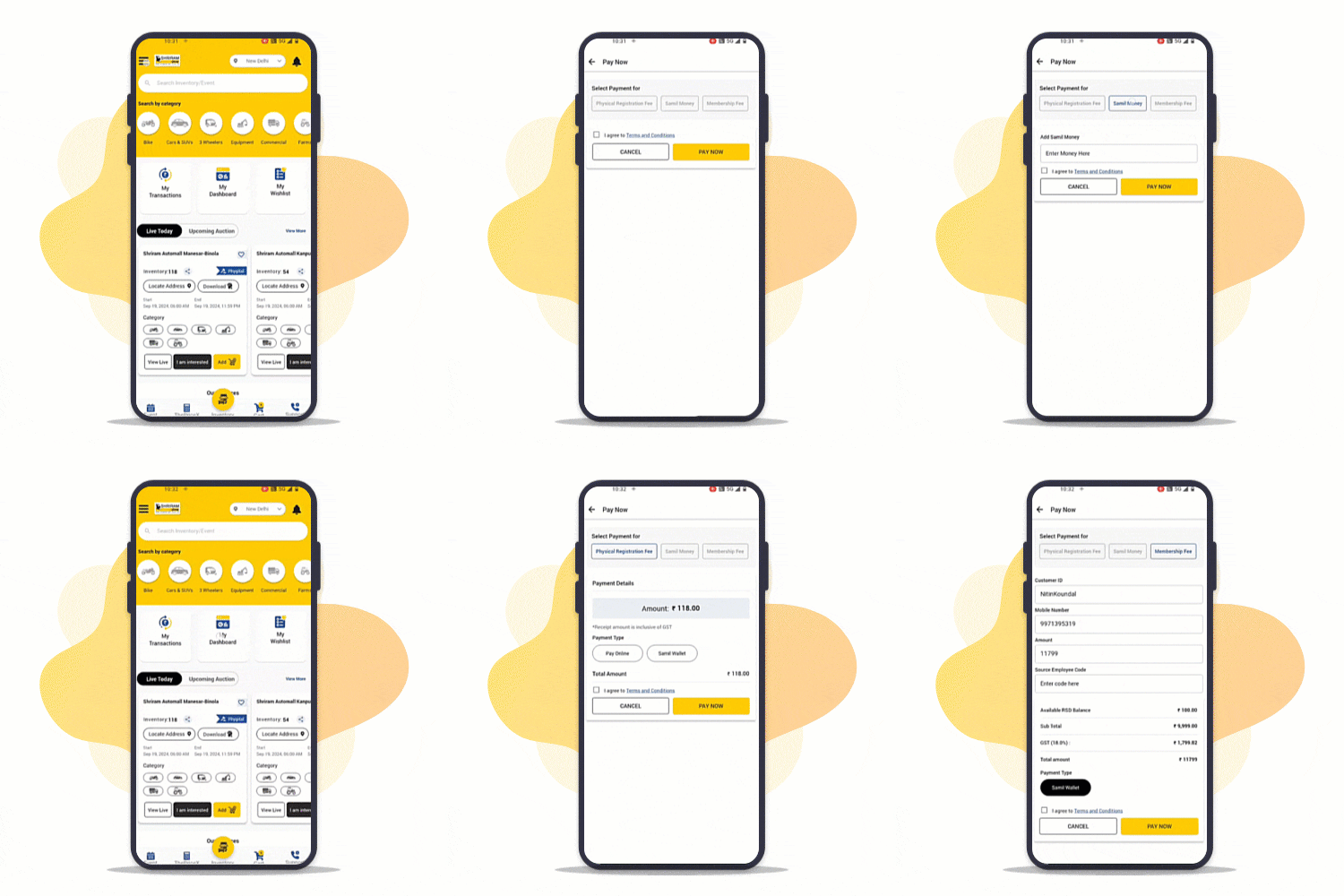
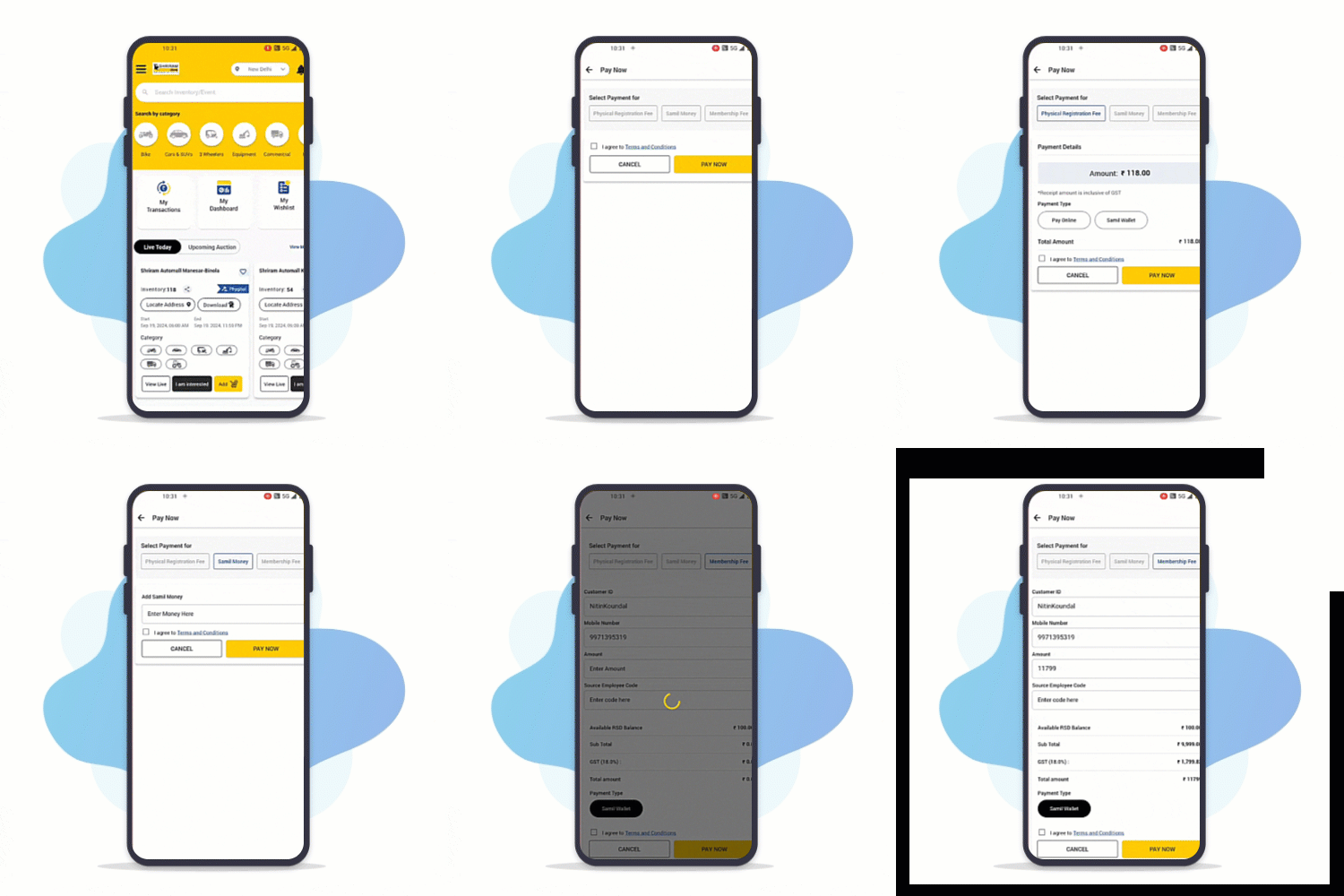
Step 2:
Select Services
Select the service you want to pay for - RSD, BidClub or add money to Wallet
Step 3:
Pay Now
Pay from variety of modes - SAMIL Wallet, UPI, Cards, Net banking etc.
Quick & Hassle-free registration with MySAMIL App
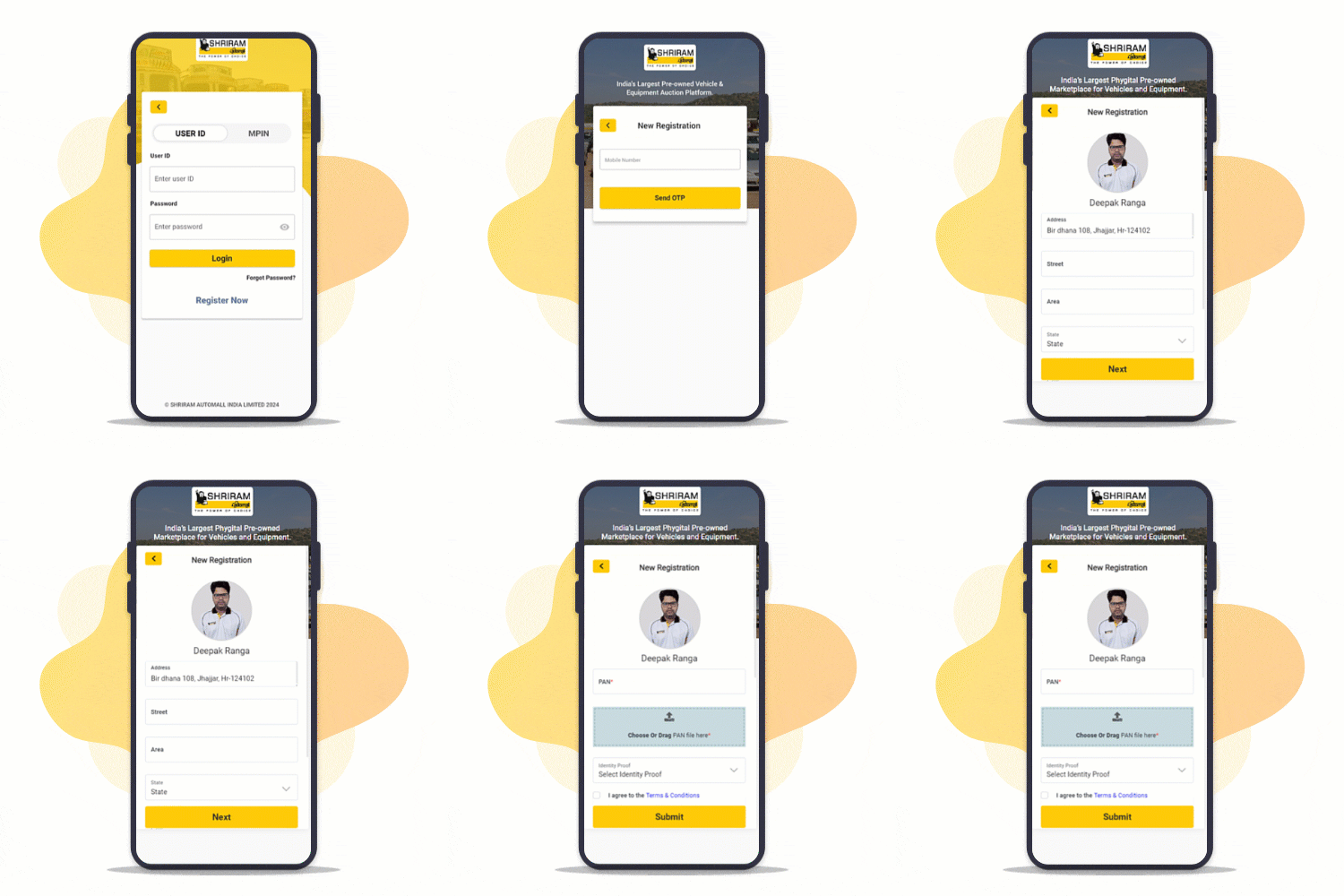
Register yourself on MySAMIL App & participate in Pan India auctions
Step : 1
Enter Your Mobile Number
Enter preferred mobile number to register and verify with One Time Password
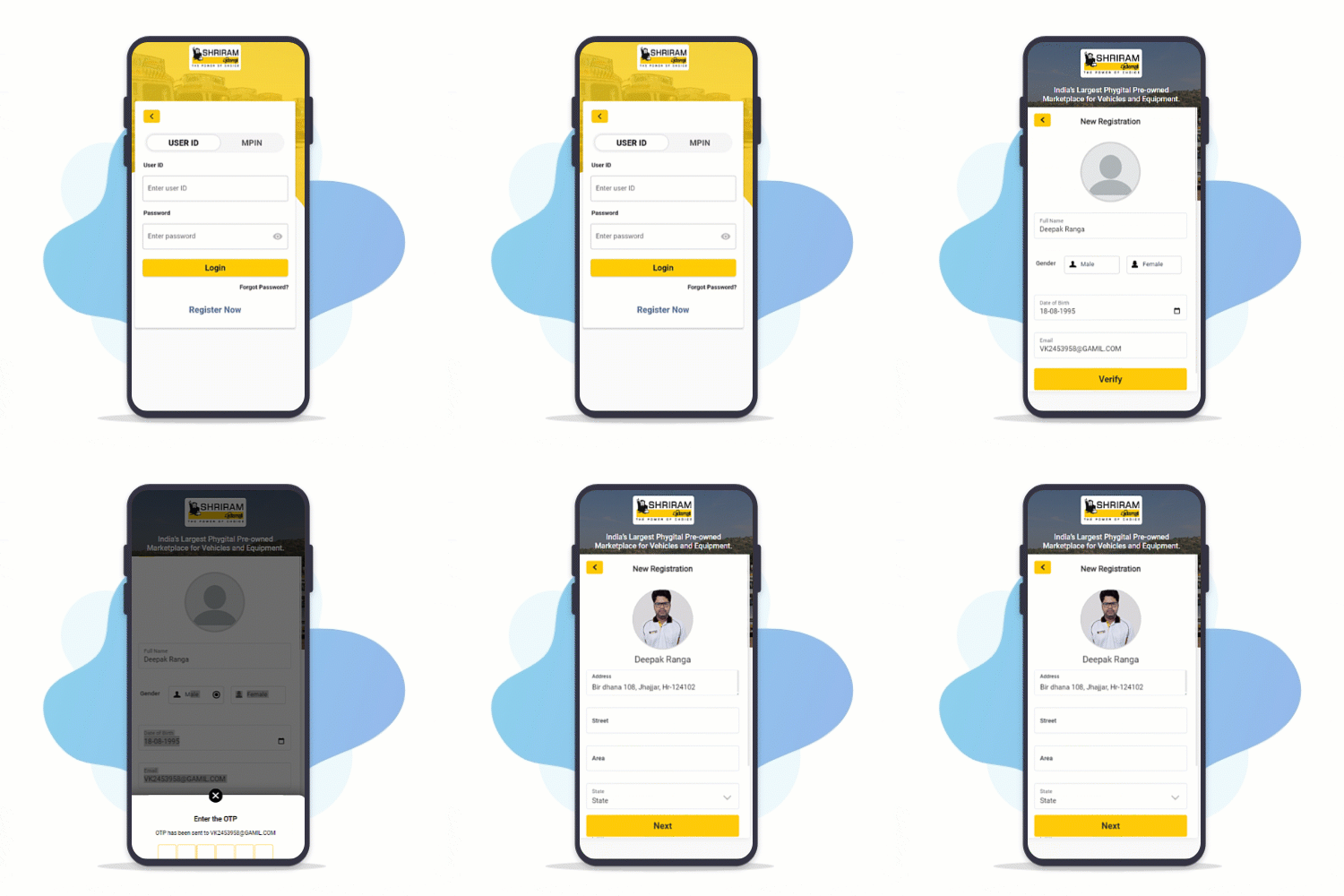
Step 2:
Upload Your KYC
Upload your Aadhaar, PAN or License & the App will autofill your details based on KYC uploaded
Step 3:
KYC Auto-Verified
Uploaded KYC is auto-verified for a smooth registration experience!
Proxy bid via MySAMIL App
Watch your favorite vehicles live during auction & bid in real-time from anywhere
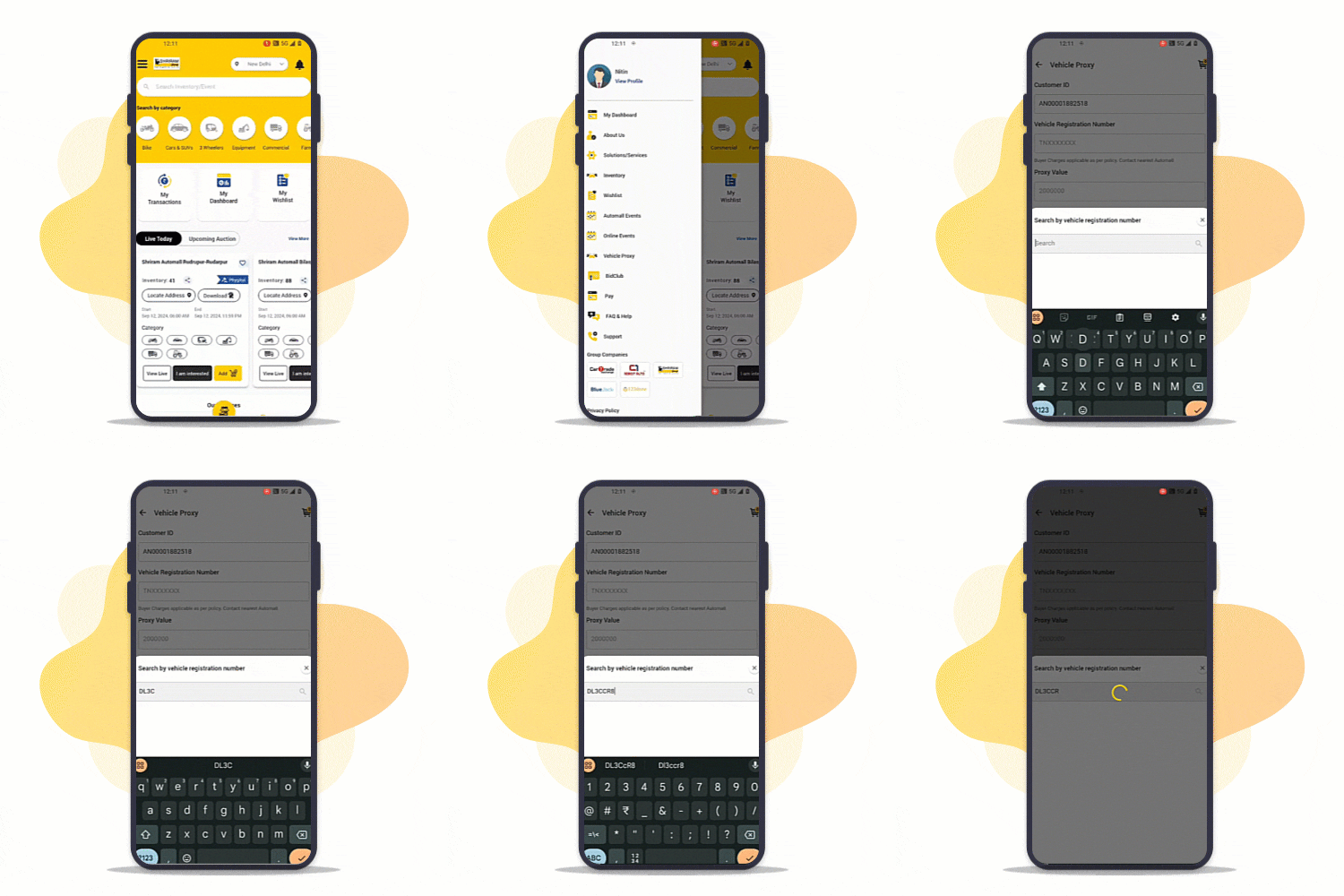
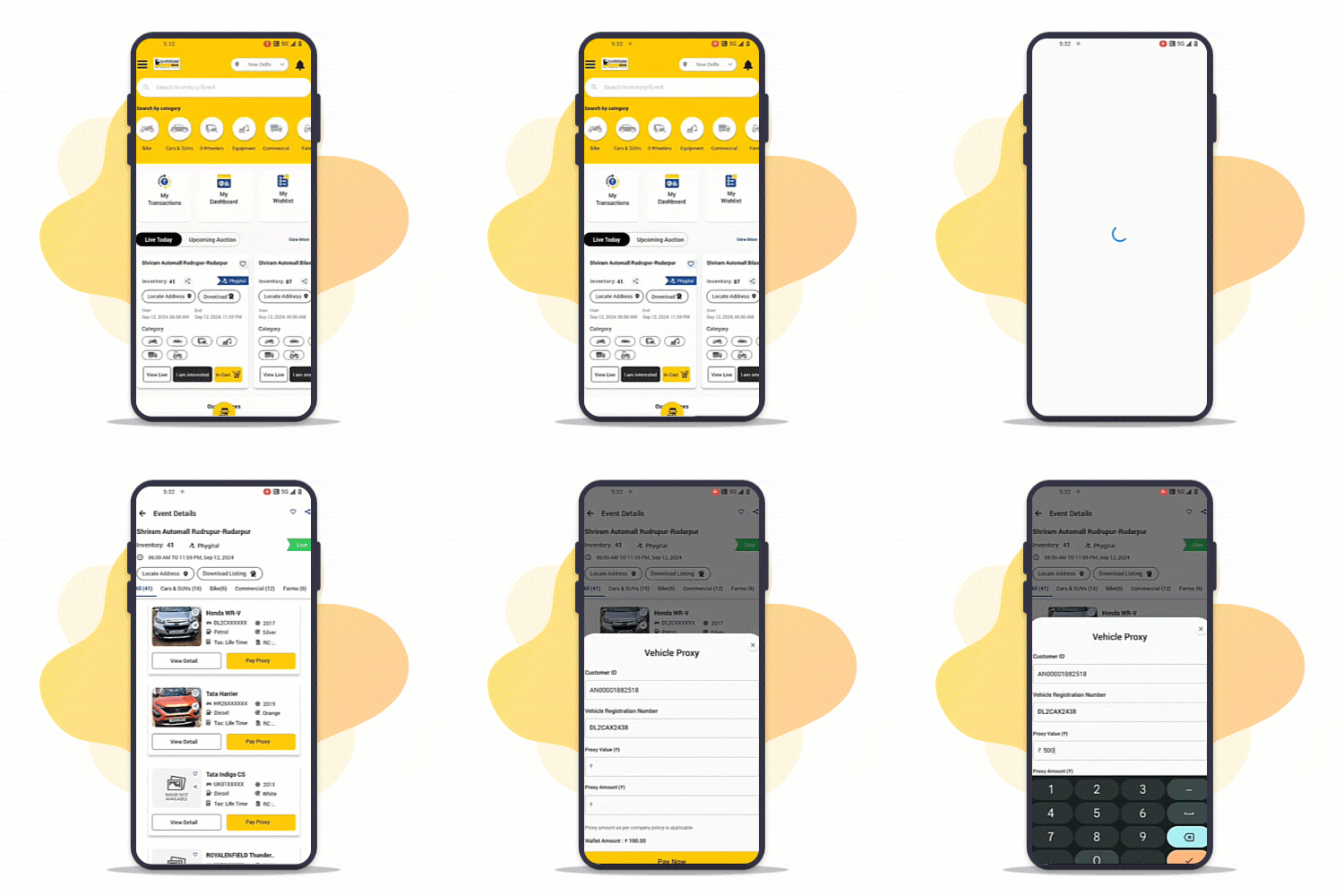
Step : 1
Access Proxy (Menu/Event)
Open Vehicle Proxy from Menu after login in MySAMIL app
Tap on Pay Proxy button against vehicles from event details screen
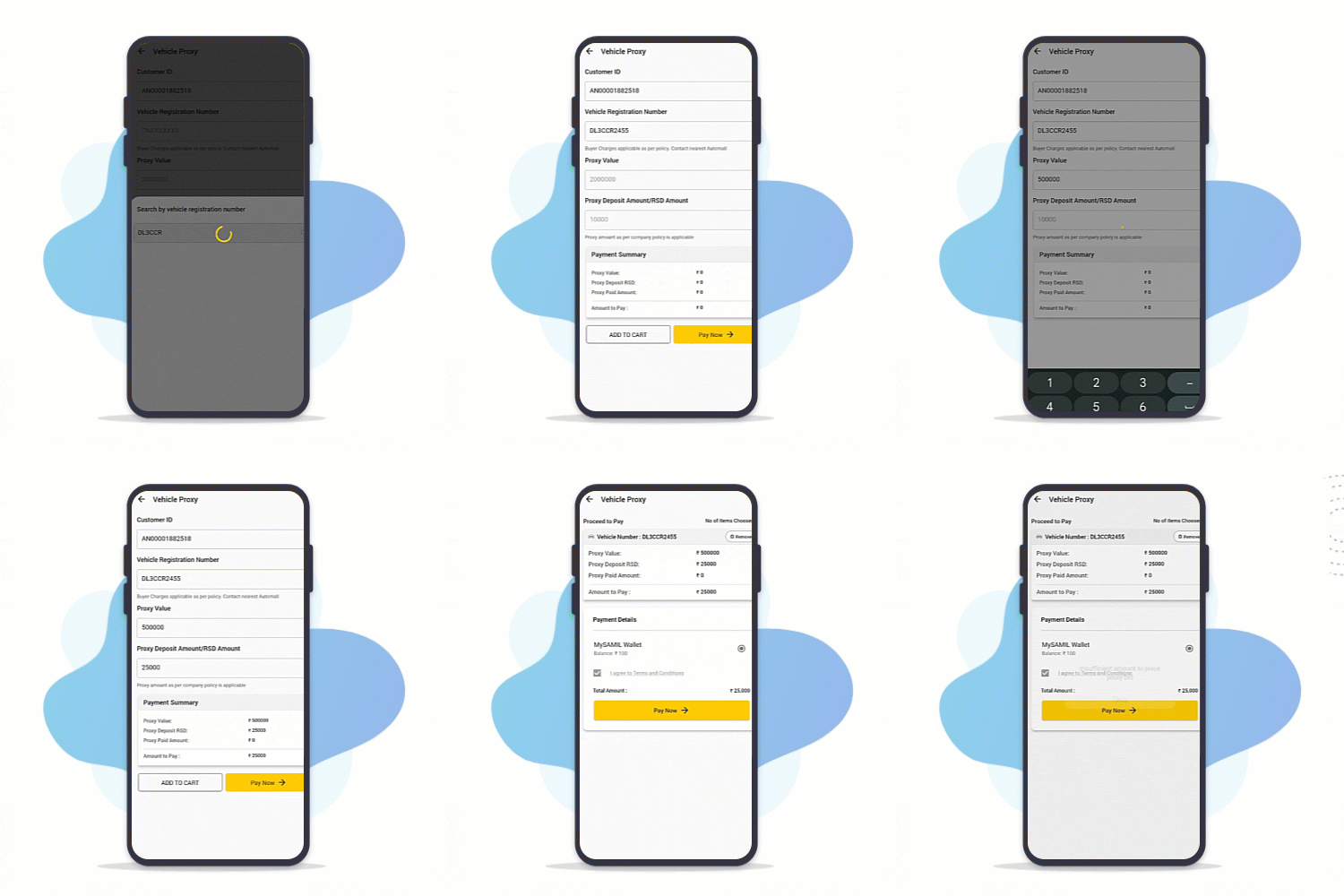
Step 2:
Pay Proxy against interested vehicle
Enter registration number & Pay Proxy amount
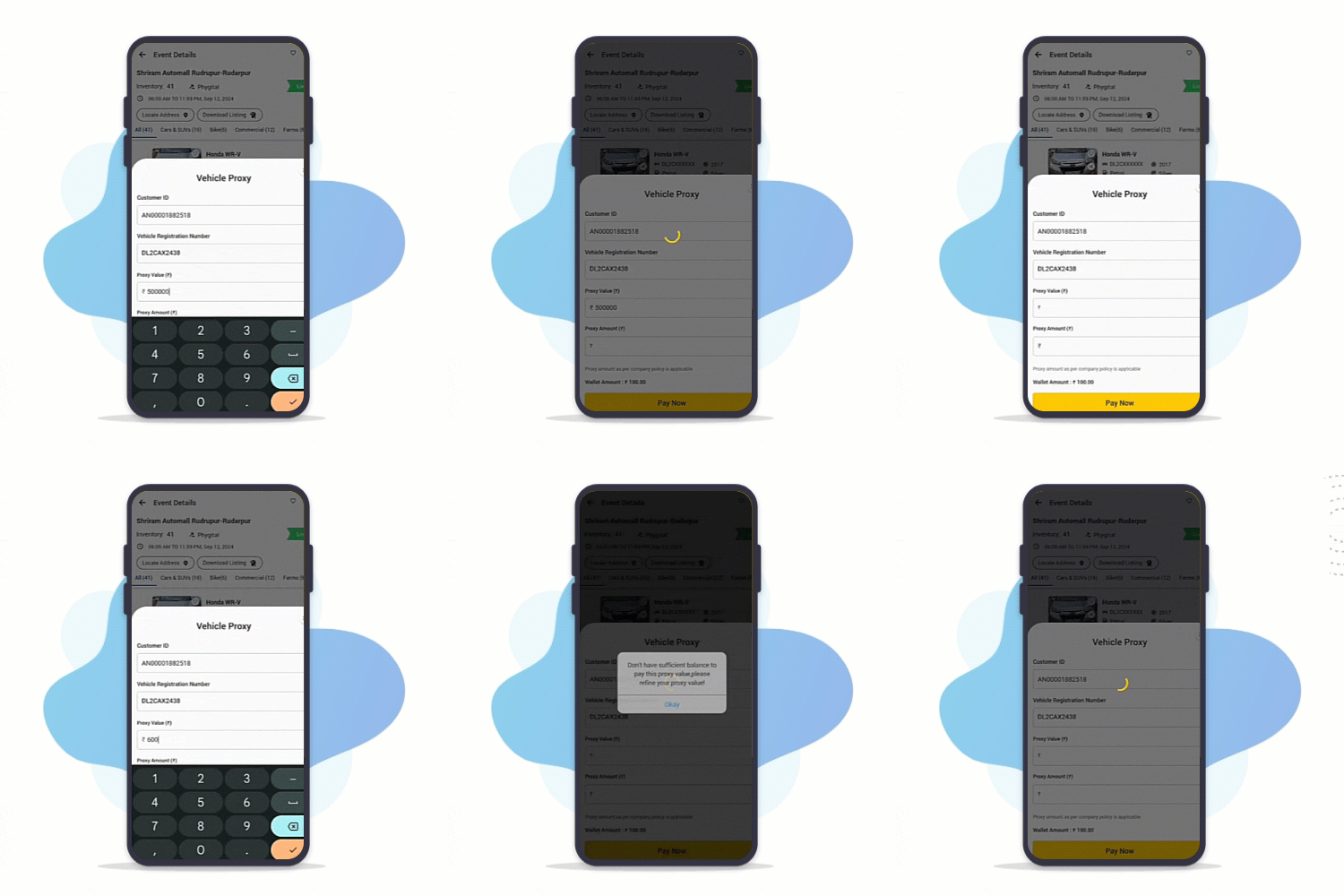
Select vehicle from inventory & Pay Proxy amount
BidLive on MySAMIL App
Watch your favorite vehicles live during auction & bid in real-time from anywhere
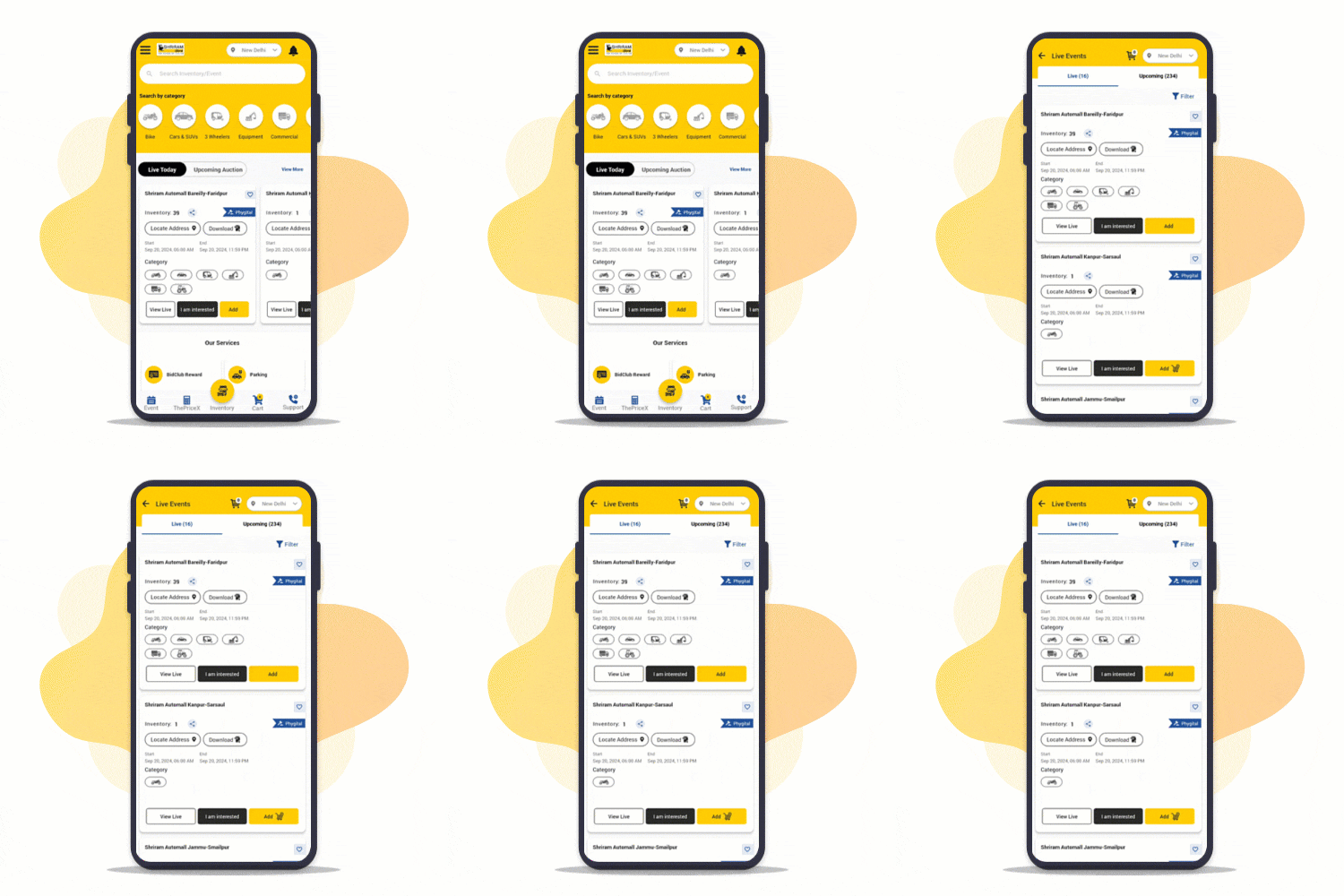
Step : 1
Access Live Events
Tap on "View Live" to access live events on My SAMIL App
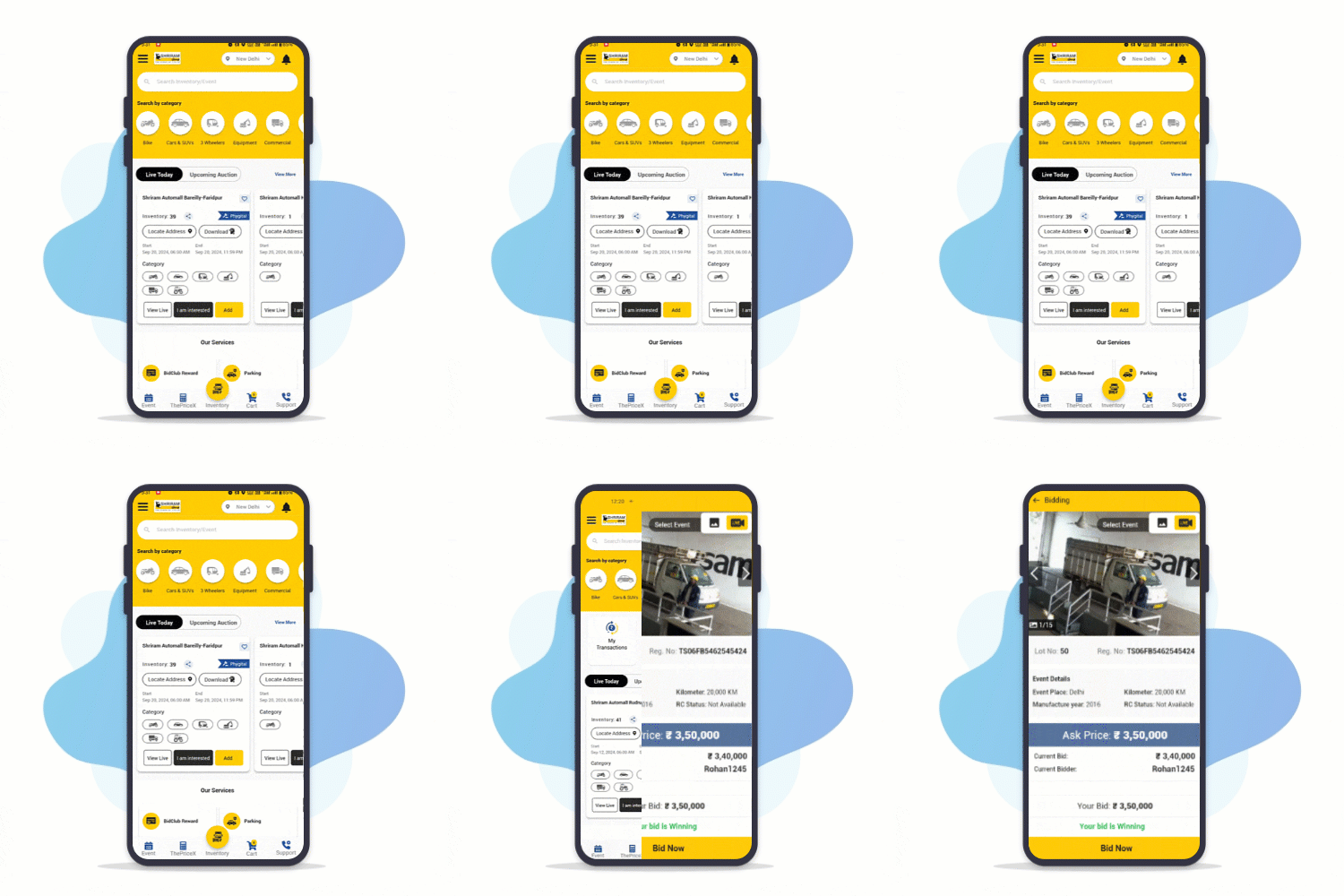
Step : 2
Watch in Realtime
Use toggle switch to view live auction streaming
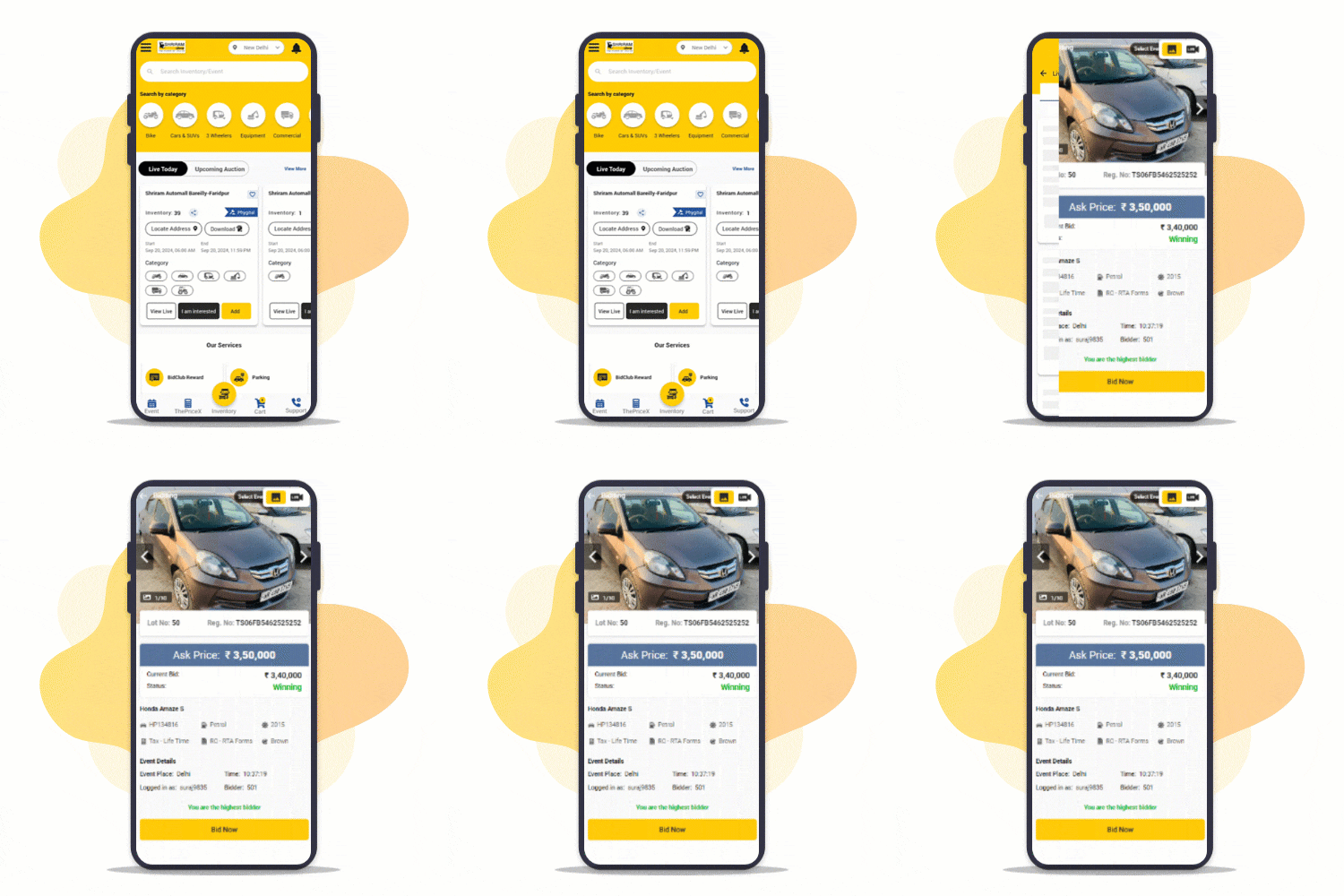
Step : 3
Bid Now
Bid in Realtime on your interested vehicle from anywhere
Explore wide range of inventories on MySAMIL app
Search vehicle of your choice from 10,000+ Inventories across categories PAN India.
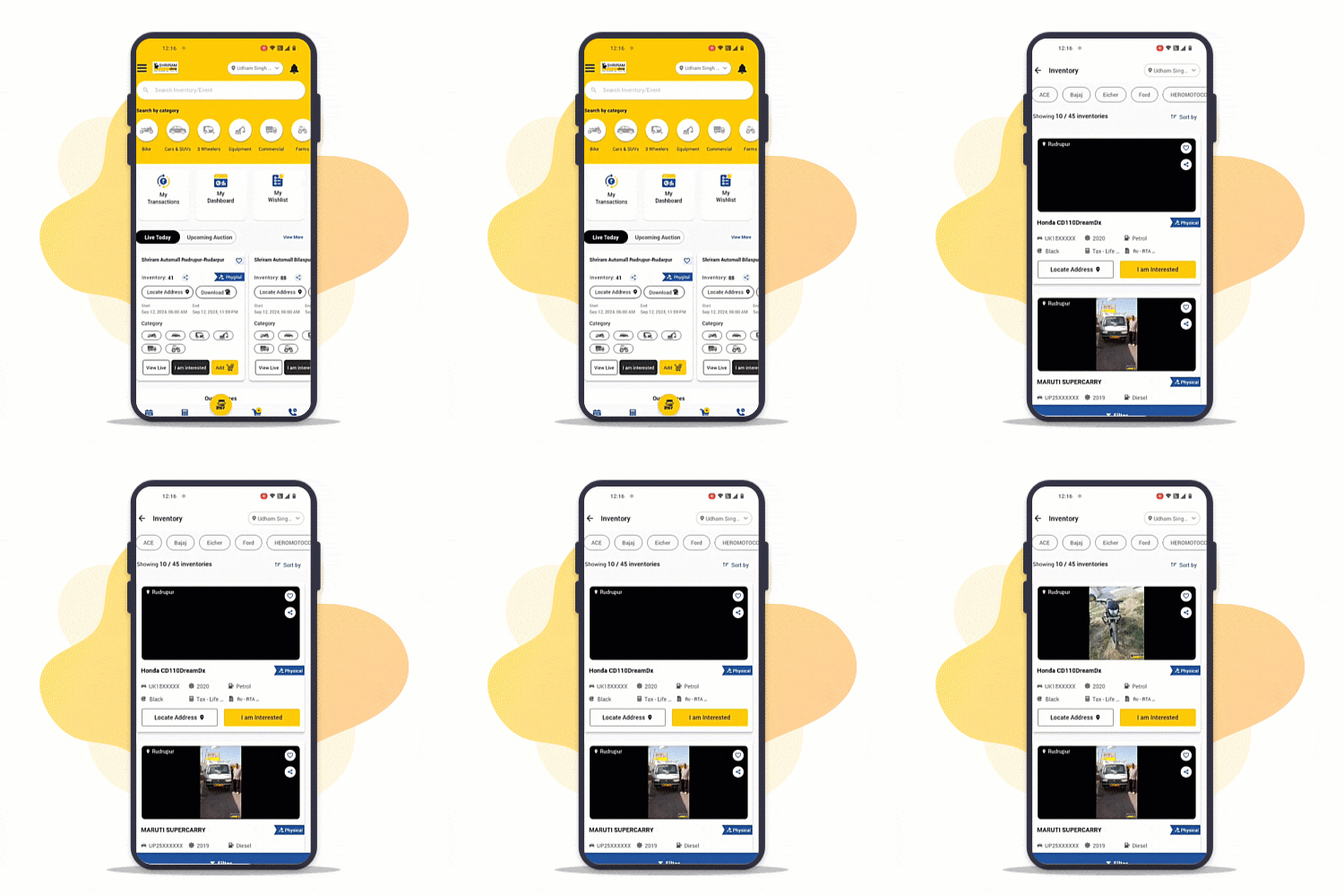
Step : 1
Access Inventories
Browse 10,000+ inventories on MySAMIL App
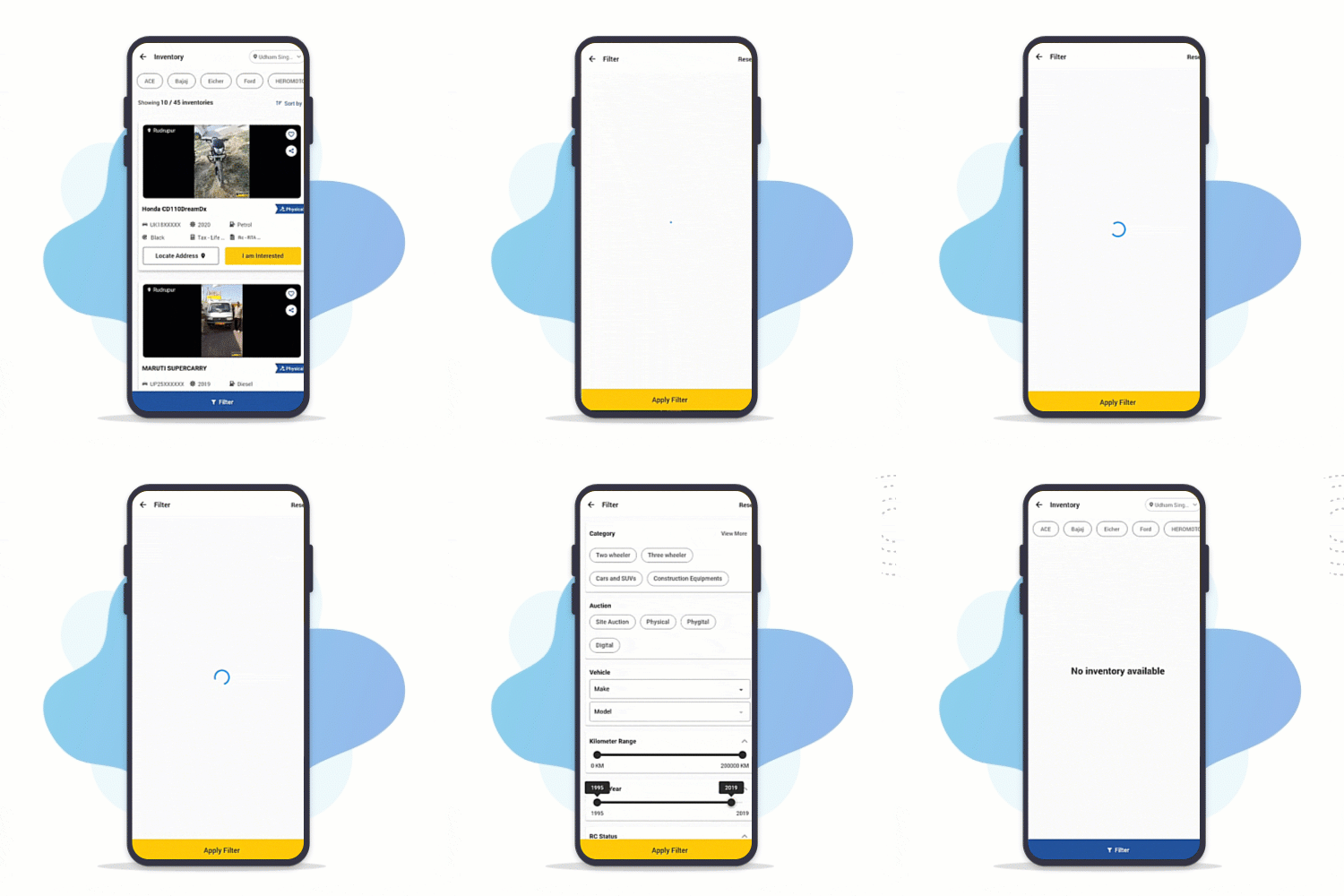
Step : 2
Search & Filter
Narrow down the search via filters to get desired results
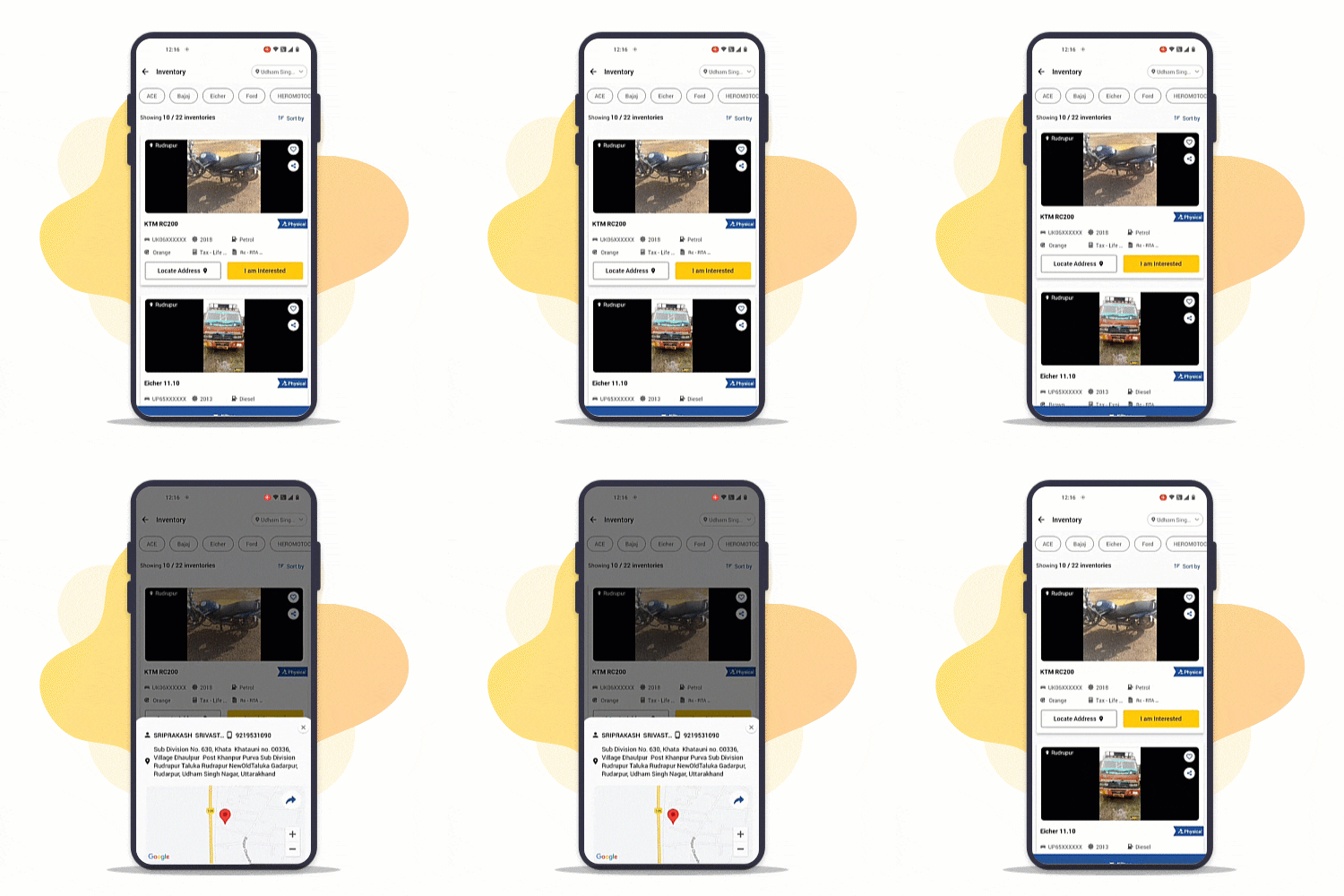
Step : 3
Visit Automall
Click on "Locate Address" and know the location of event
Event Calendar on MySAMIL App
Stay informed about upcoming events & your desired inventory at/near your location!
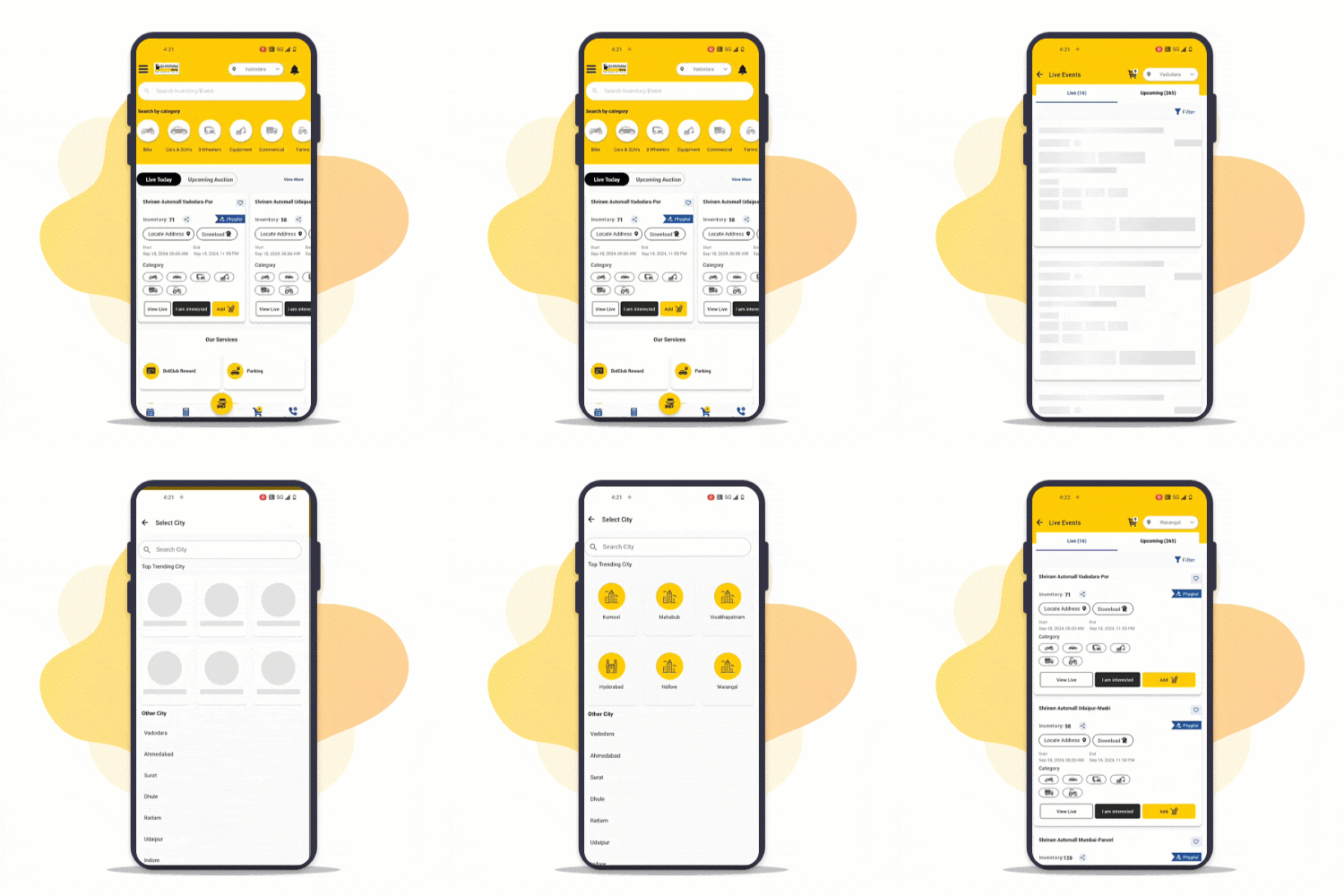
Step : 1
Go to Events
Browse through events at your location
Change to near by location to view more inventories
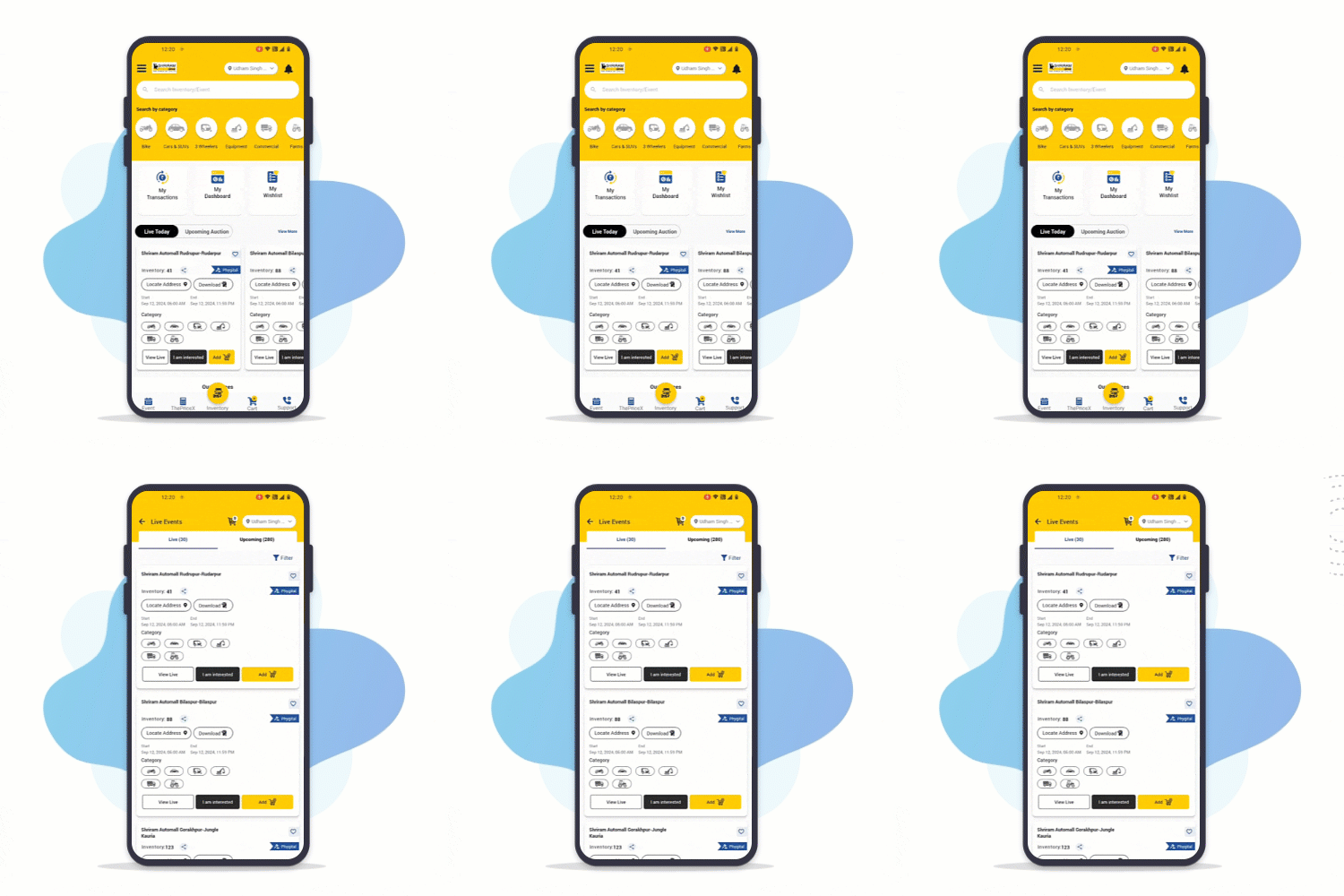
Step : 2
View All Events
Tap on "View All" to explore all live and upcoming events & Inventories
Step : 3
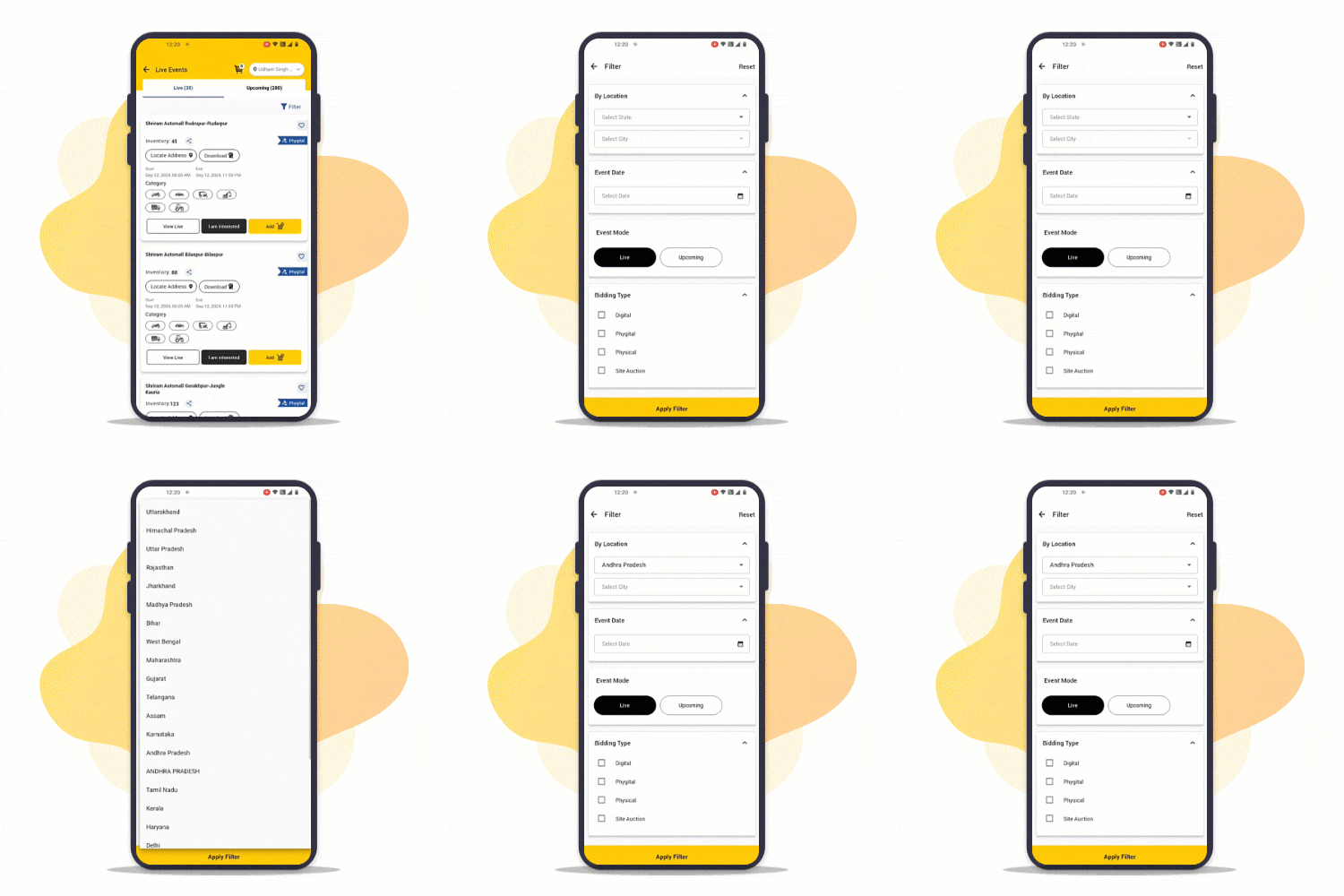
Apply Filters
Apply filters to narrow down your search for desired event/inventory like: Location, Date, Event mode, Bidding Type etc..
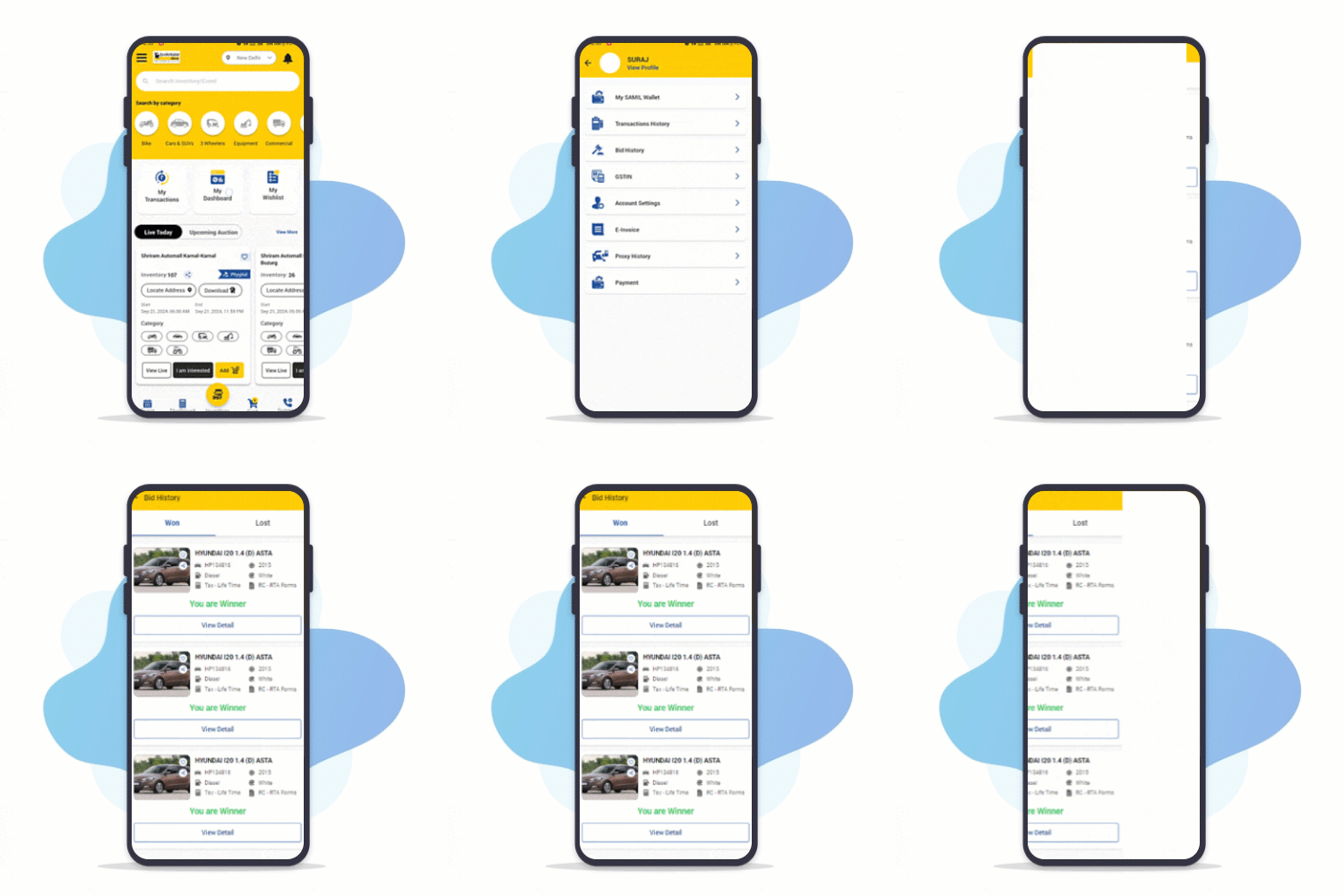
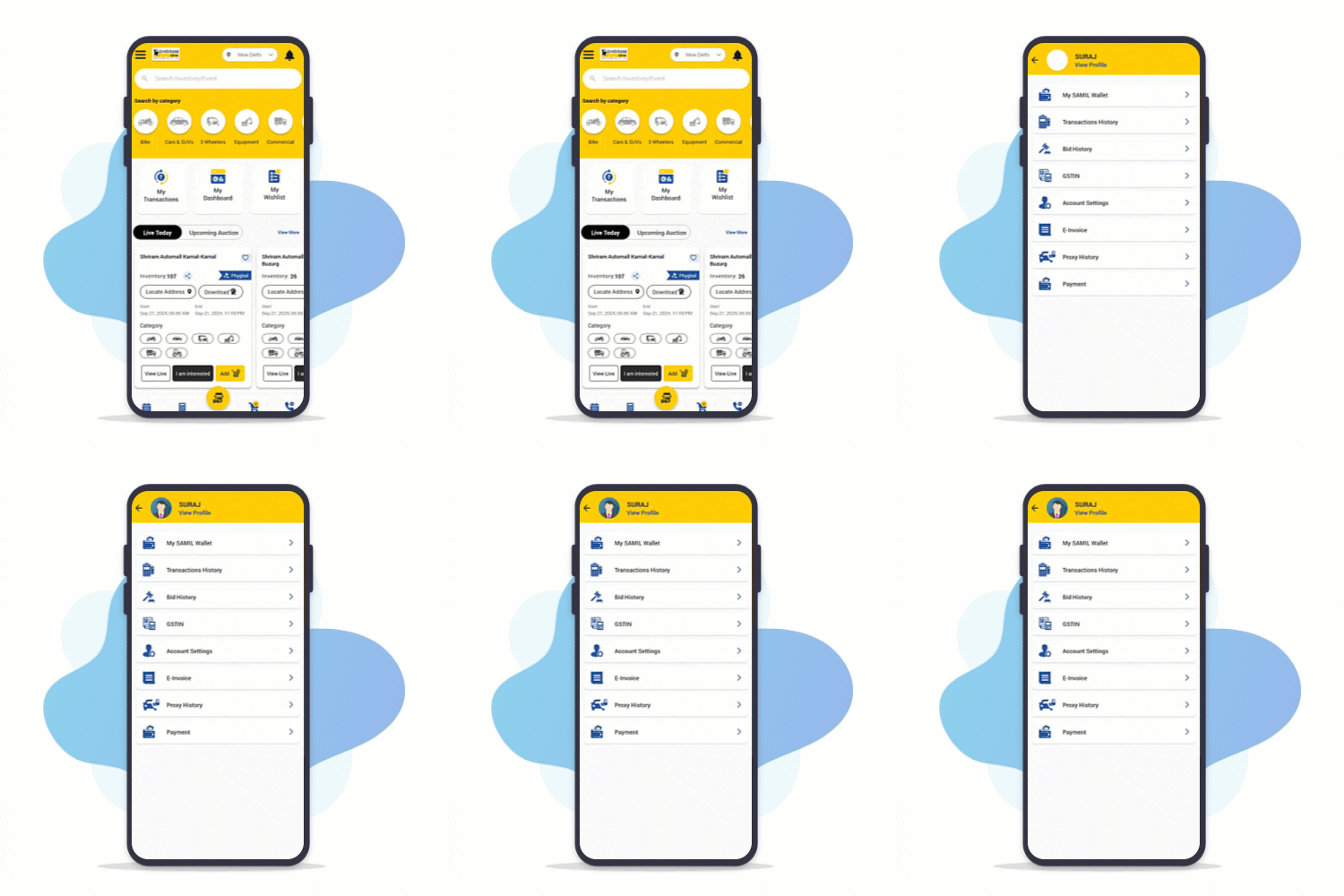
All Transactions & Bid History at One Place
Access your entire Transactions & Bid history on MySAMIL App!
Step : 1
Login to MySAMIL App
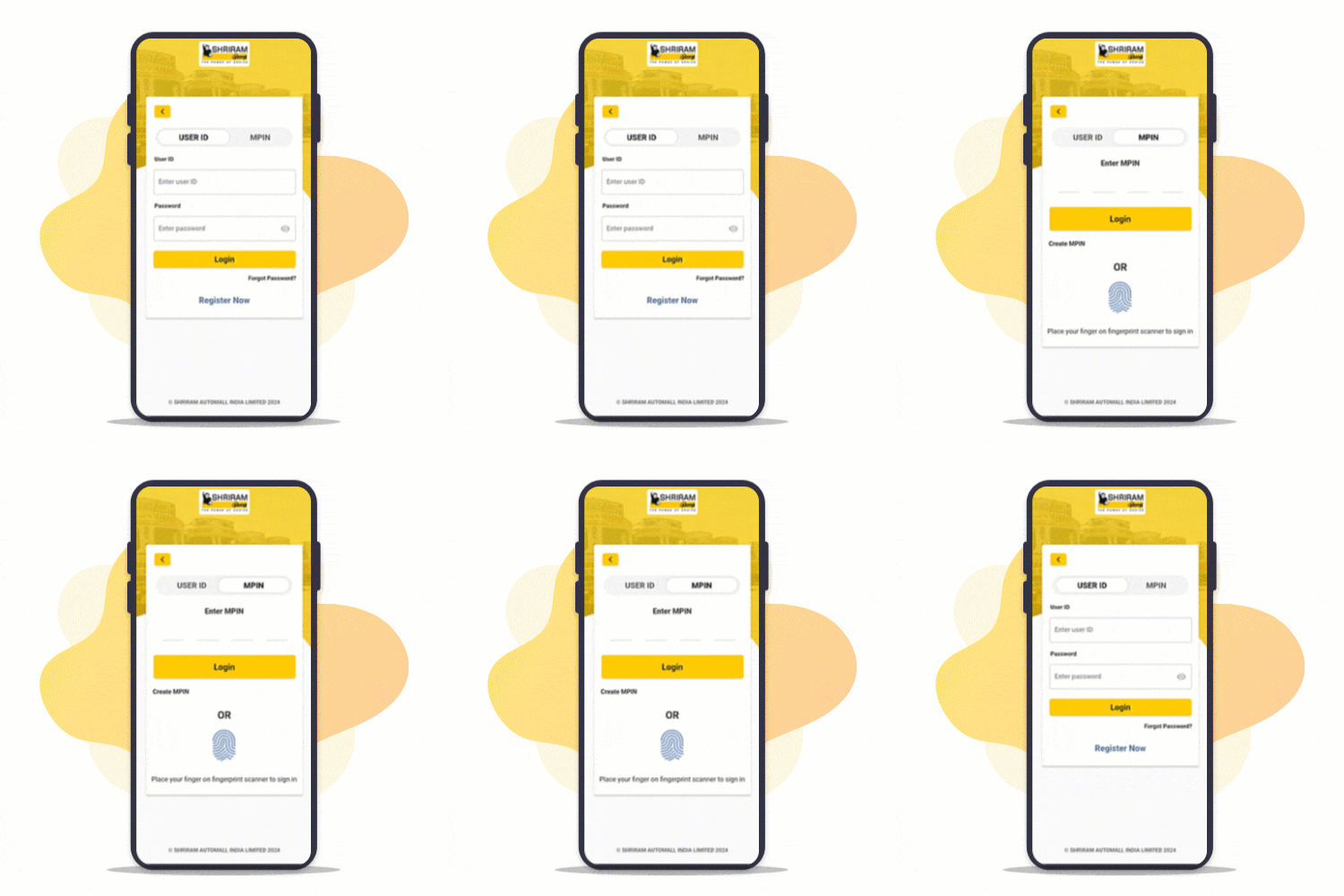
Login to MySAMIL app by using your registered mobile number, Fingerprint or MPIN
Step : 2
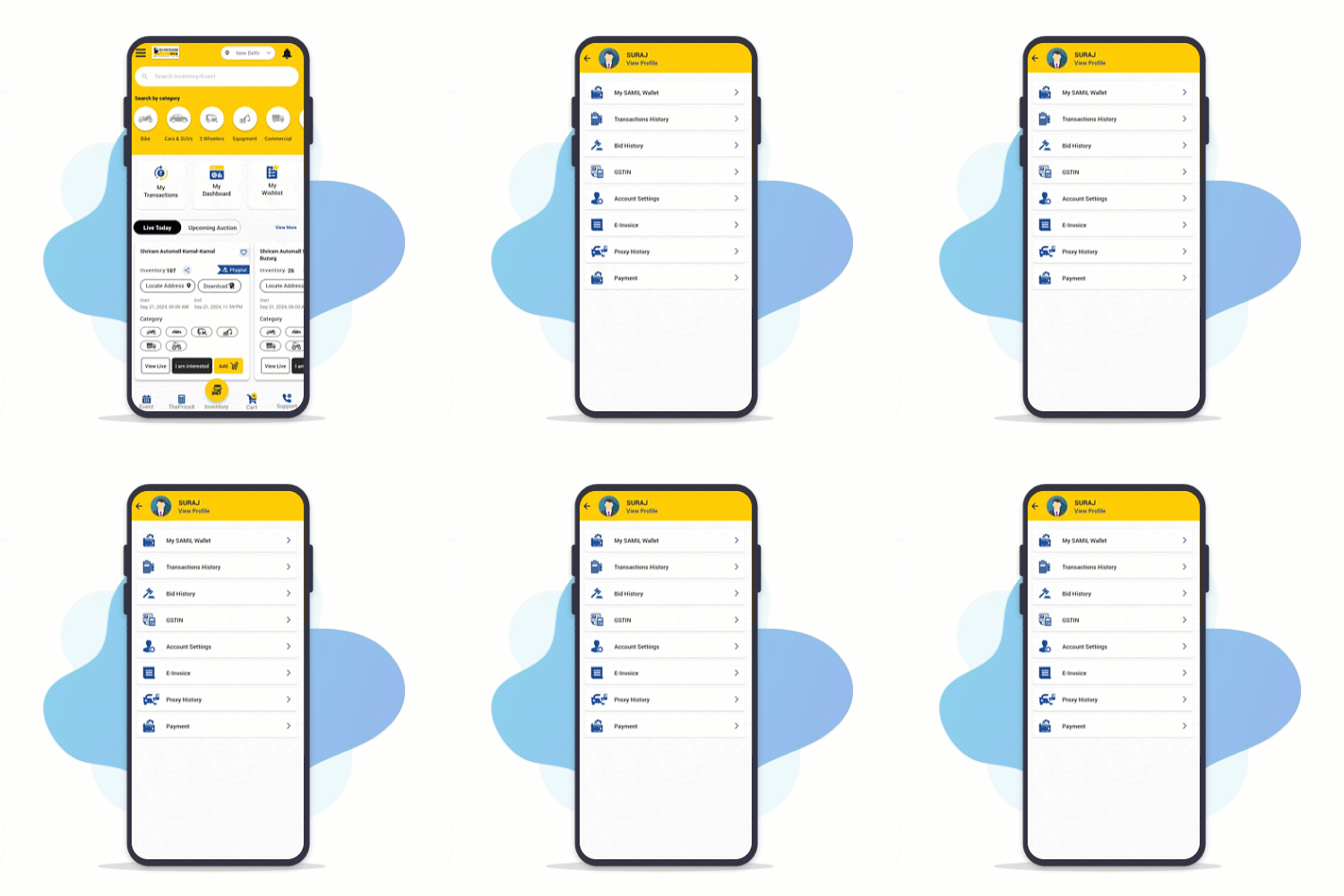
Open "My Dashboard"
Go to "My Dashboard" from home screen
Step : 3
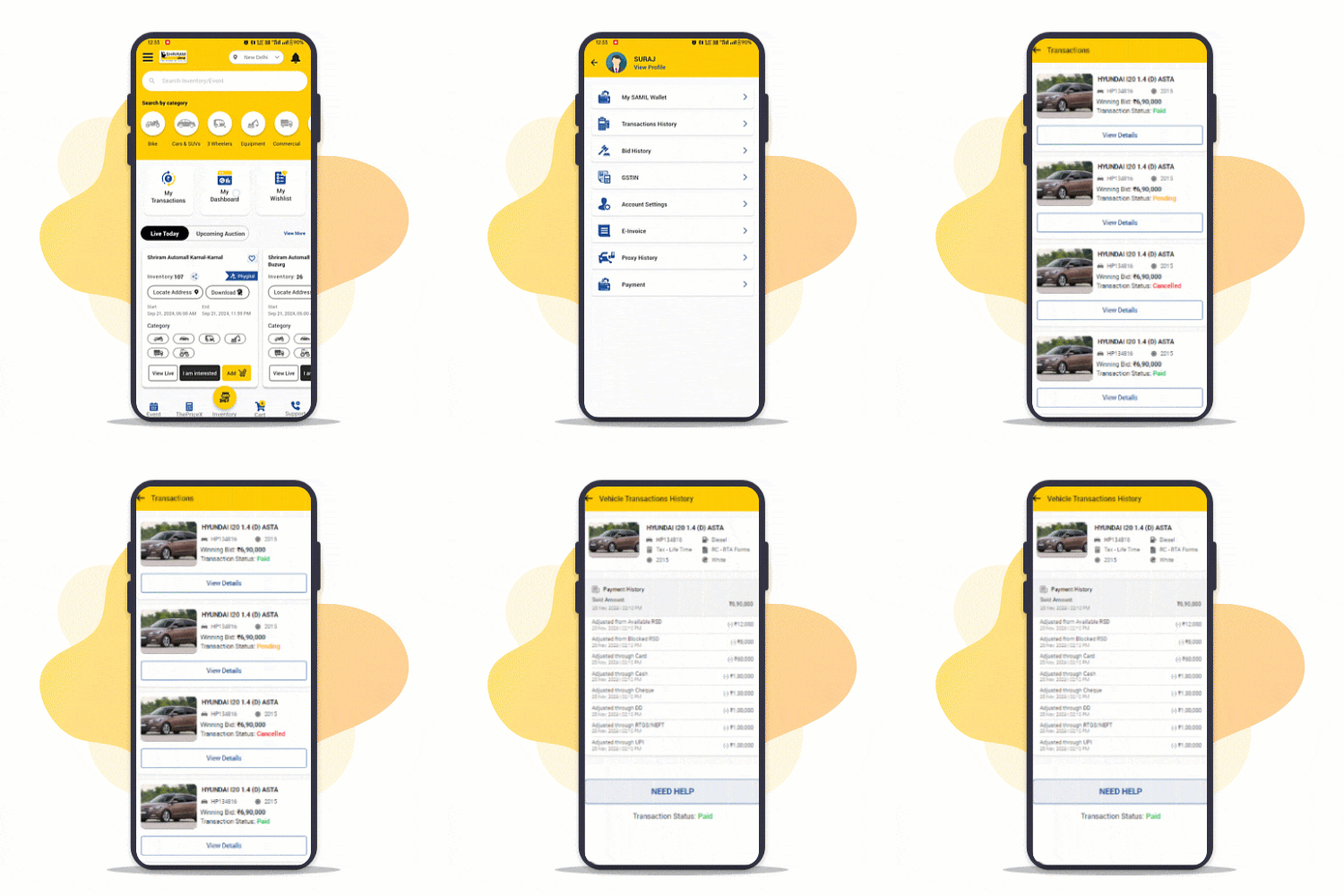
Open Transactions
Click on "Transactions" to view all history
Step : 4
Open Bid History
Click on "Bid History" to view Won and Lost auctions
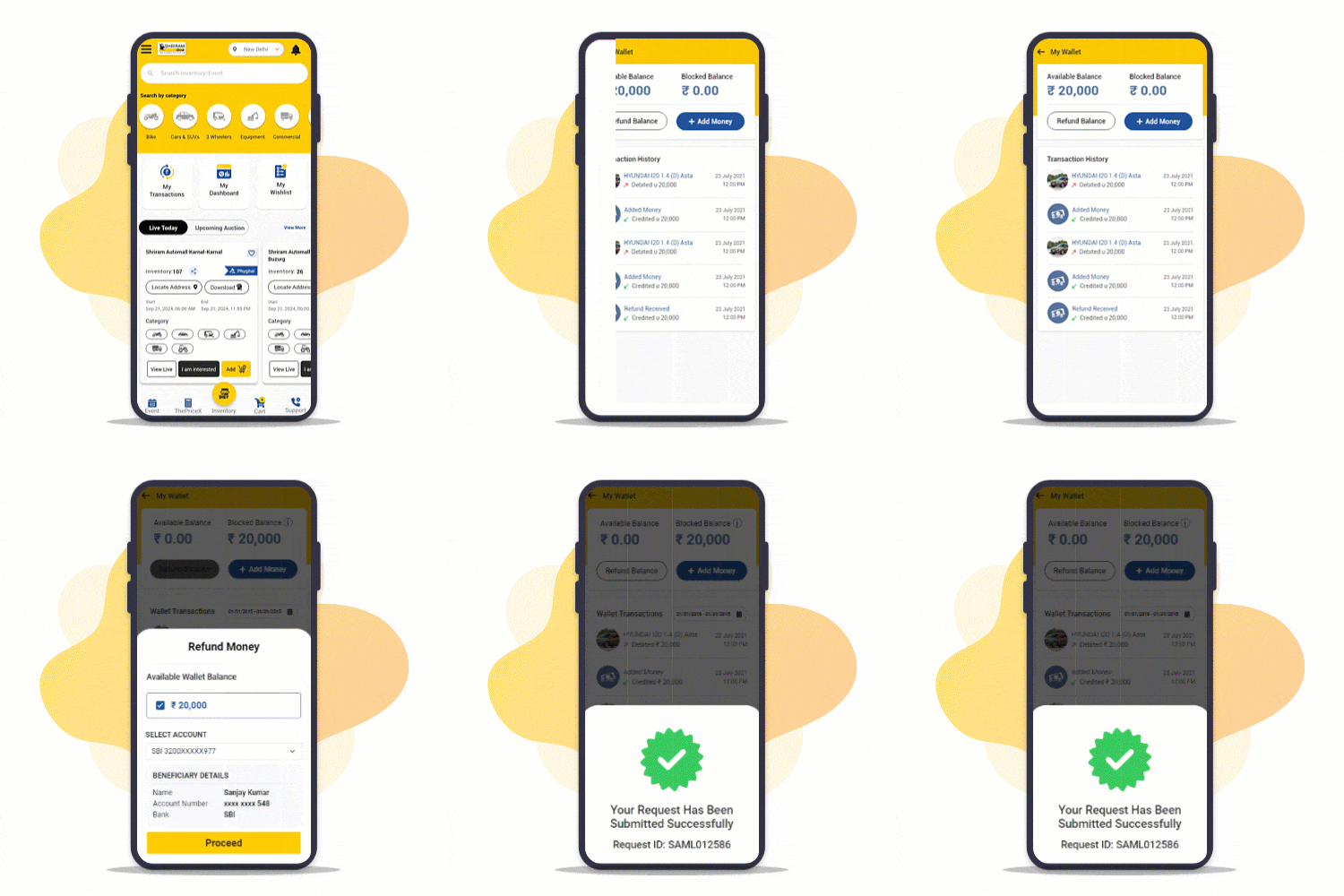
Refunds Made Easy
Didn't get desired vehicle on auction day. Instantly raise RSD refund request.
Step : 1
Login to MySAMIL App
Tap on "View Live" to access live events on My SAMIL App
Step : 2
Open "My Dashboard"
On home screen, tap on "My Dashboard"
Step : 3
Go to "My Wallet"
Open Wallet to raise a refund request
Hassle-free bidding on Different Events at Same Time
Now easily participate in multiple events to get desired vehicles across PAN India!
Step : 1
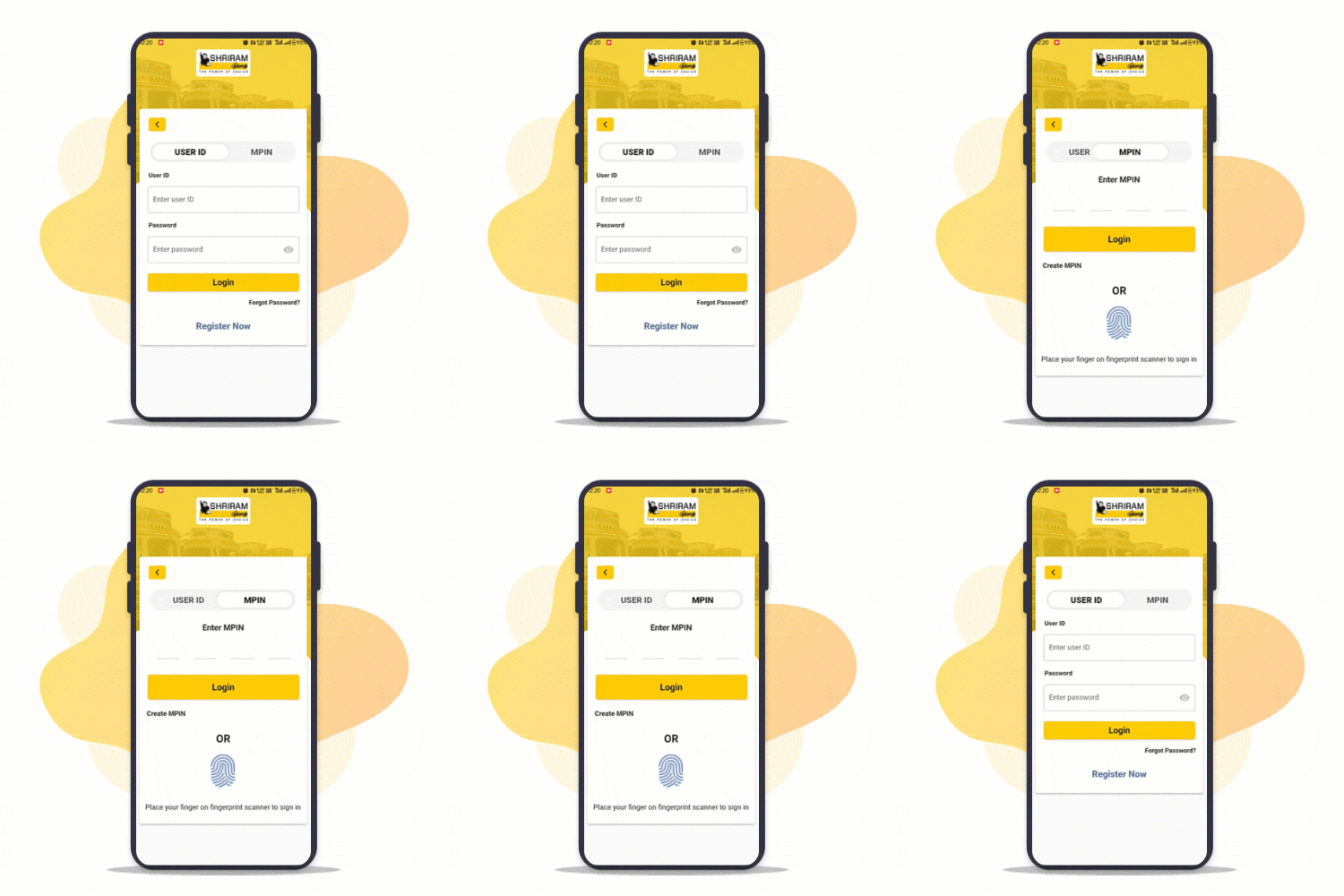
Login to MySAMIL App
Login using Password,Fingerprint or MPIN
Step : 2
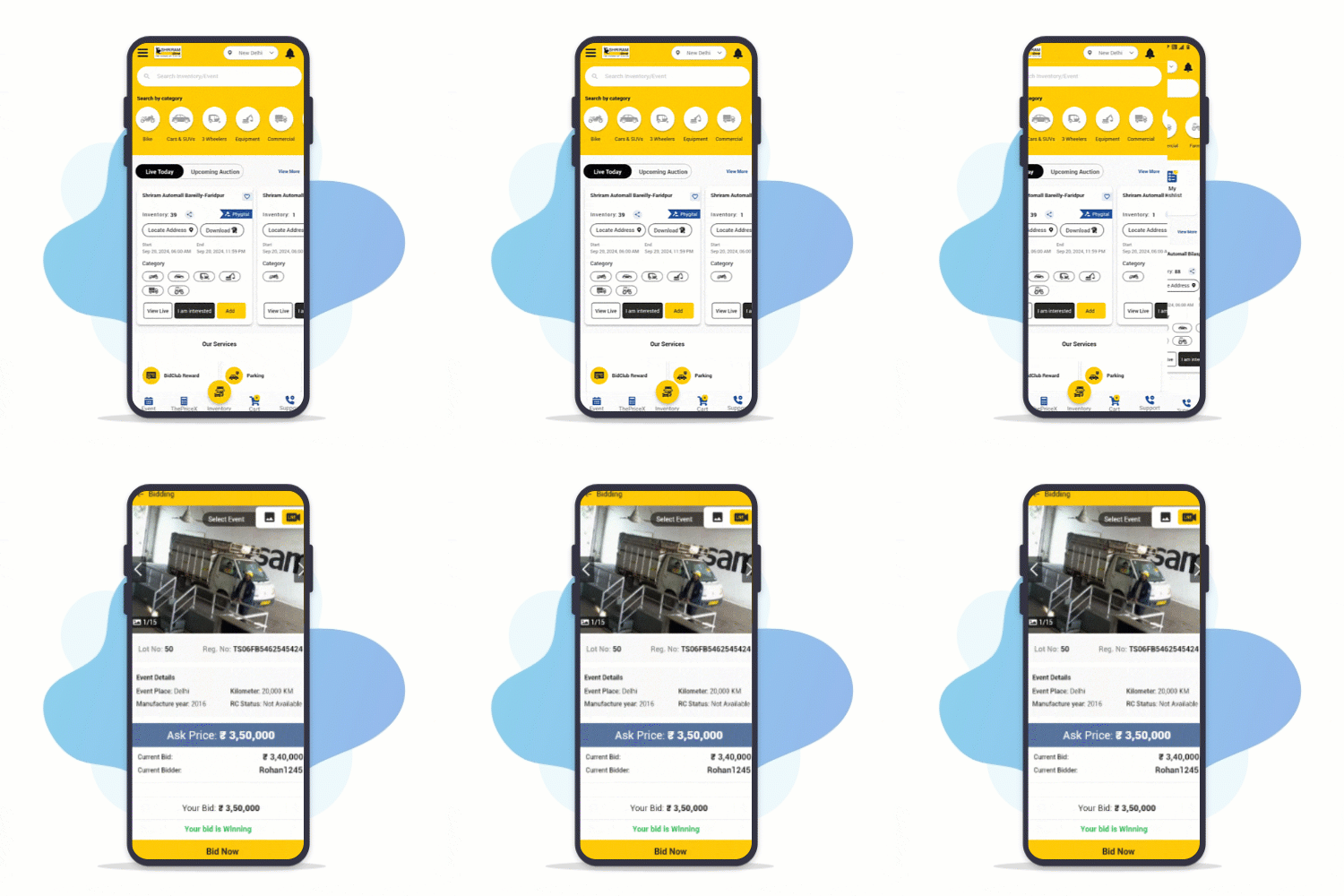
Explore PAN India events
Explore list of events from PAN India & select your events
Step : 3
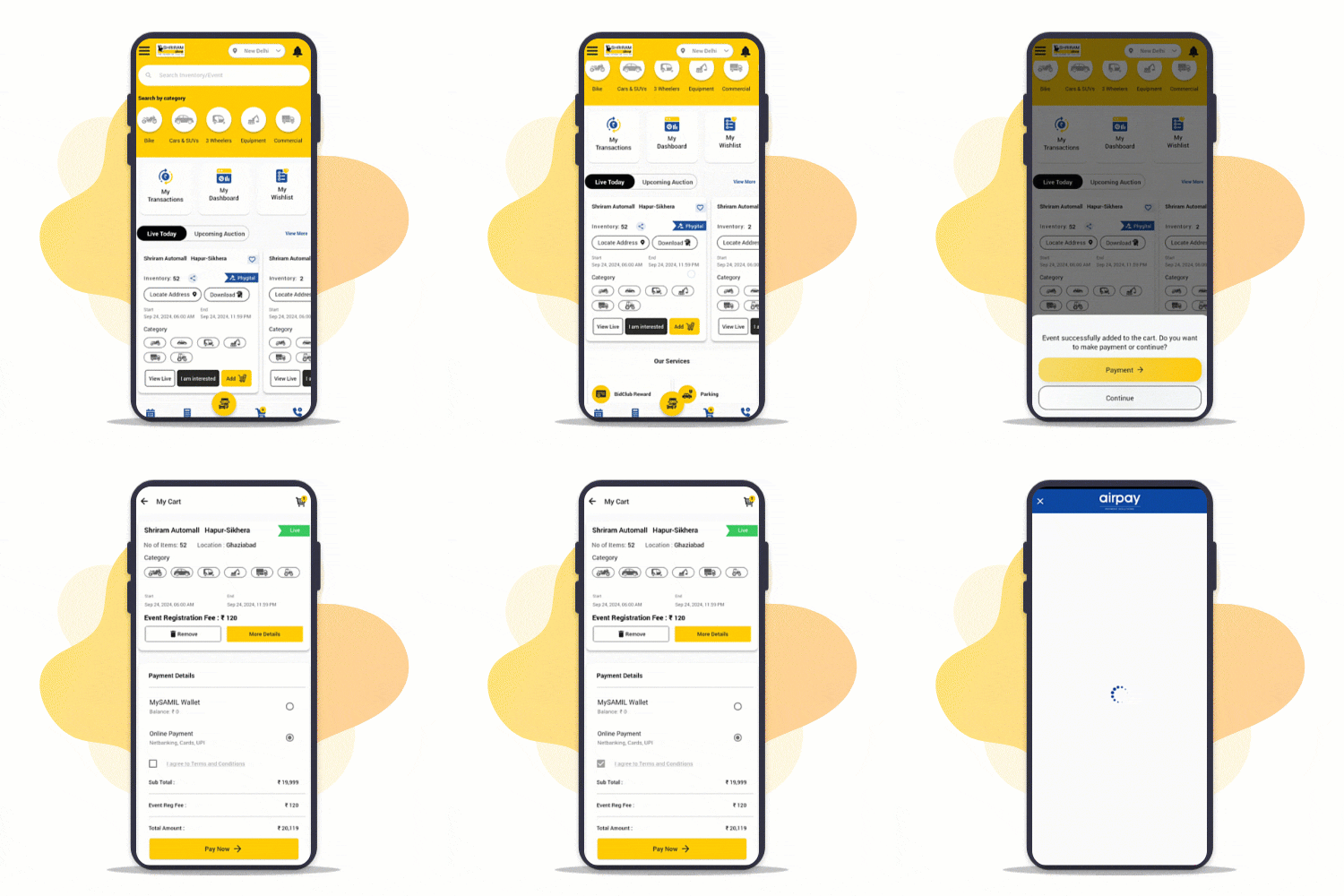
Add to Cart & Pay
Add multiple selected events to Cart and make RSD payment
Step : 4
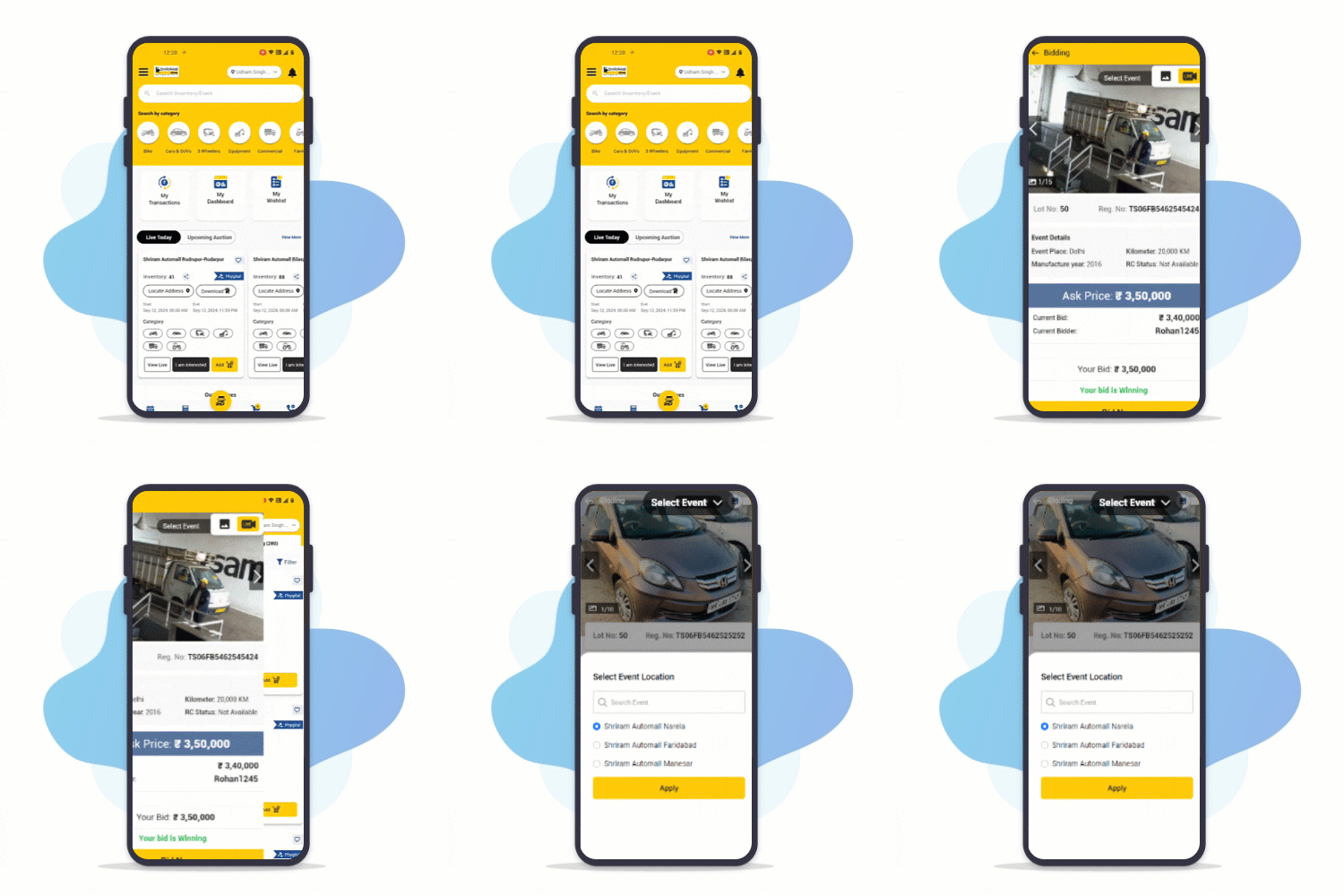
Switch between multiple auctions & keep bidding
Go to Bidding screen and switch between multiple events easily
Stay informed with Instant Notifications
Now get notified on real-time bidding, transactions etc.. on MySAMIL App
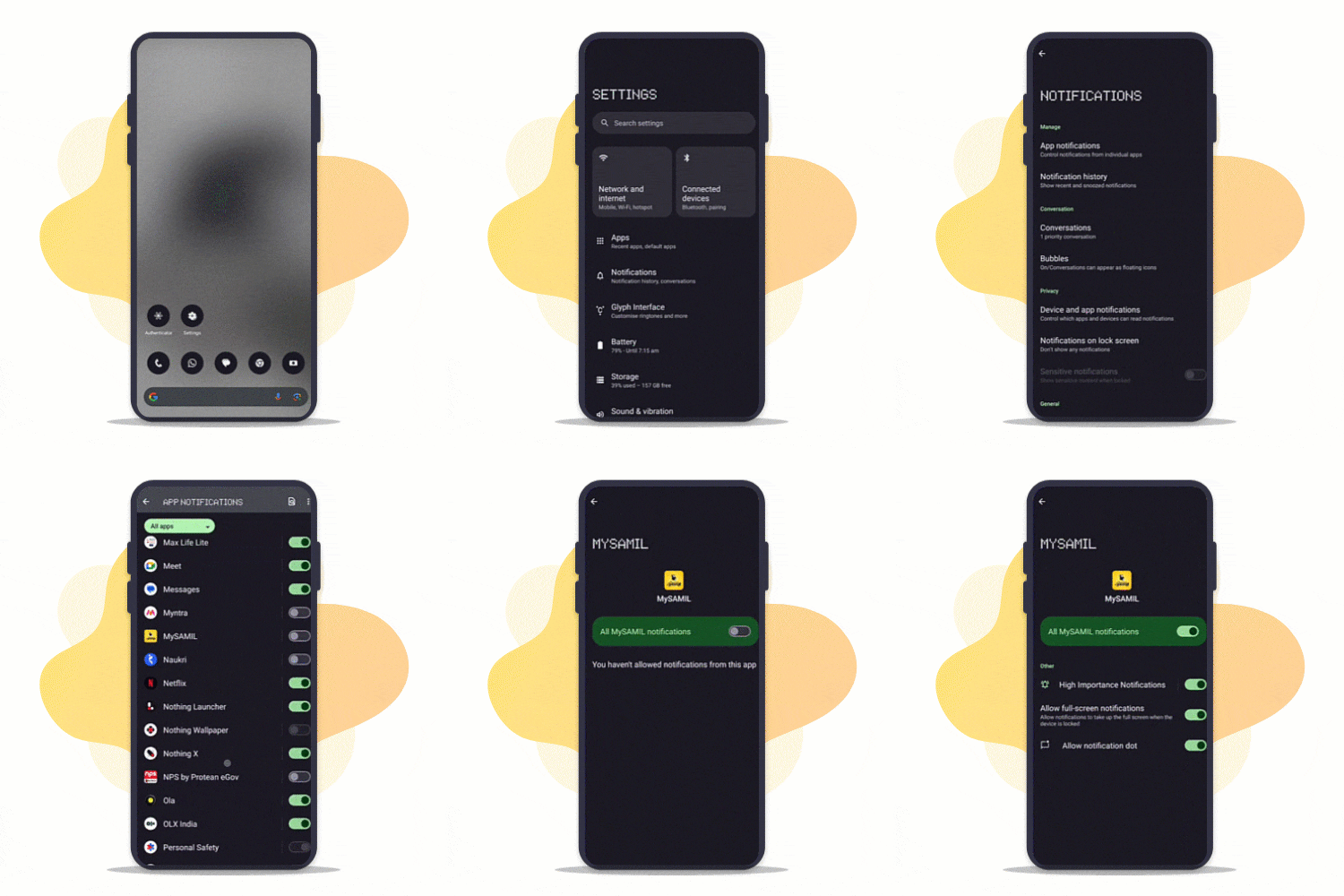
Step 1:
Enable Notifications
To enable notifications, go to settings and give permission for MySAMIL App
Step 2:
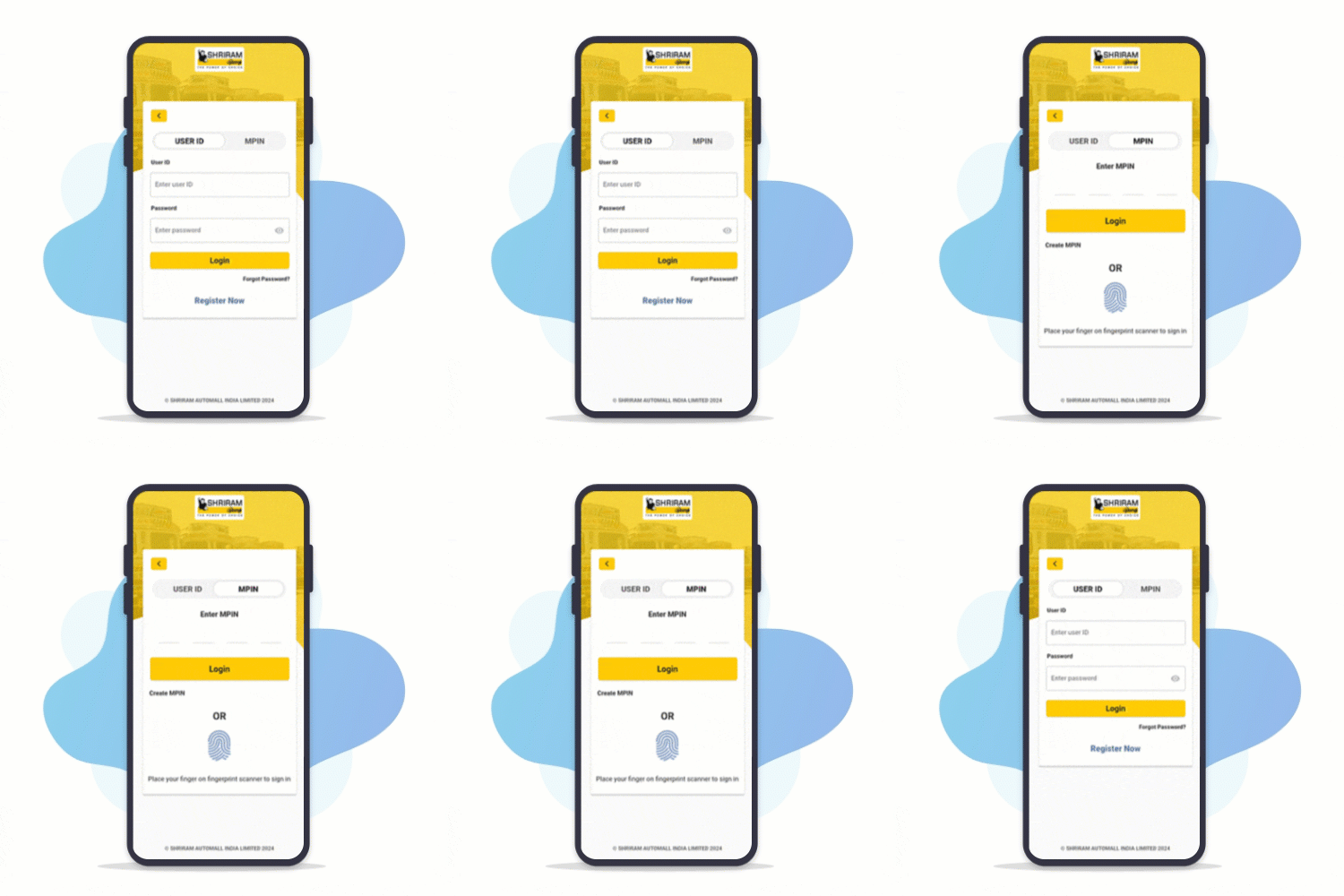
Login to MySAMIL App
Login to MySAMIL app by using your registered mobile number, Fingerprint or MPIN
Step 3:
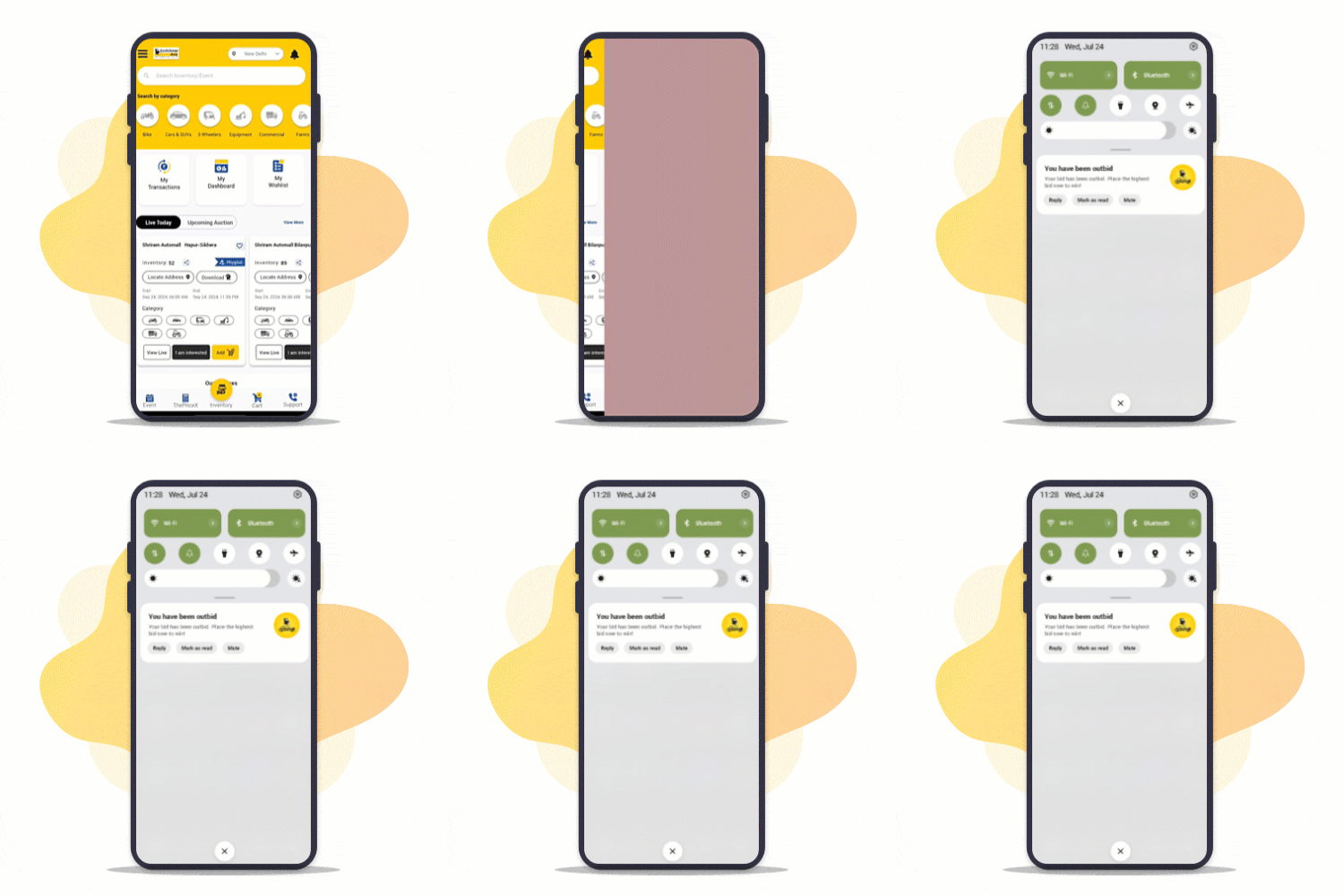
Notifications on
Home Screen
Stay notified even when your not active on MySAMIL
Step 4:
Access Notifications
Tap on bell icon to access all received notifications
Download MySAMIL App
Scan the QR code to download the MySAMIL App and seamlessly take part in live bidding events, watch real-time streams, make RSD and registration payments, appoint proxies, and manage everything from anywhere, anytime.